How to make a webtoon with Claude
Connect Inkroost to Claude once, then ask for a chapter. Claude plans the pages, draws them, and hands every one back to you to approve.
A webtoon is a comic read as one long downward scroll, and it is the format most people mean when they say they want to make a comic on their phone. This is the whole path from an empty account to a published first chapter, with Claude doing the typing.
You need two things: an Inkroost account, which is free, and Claude. Claude's Custom Connectors need a paid Claude plan; on the free plan there is a manual token path further down the same settings page that works with Claude Code and other developer tools.
Connect Inkroost to Claude, once
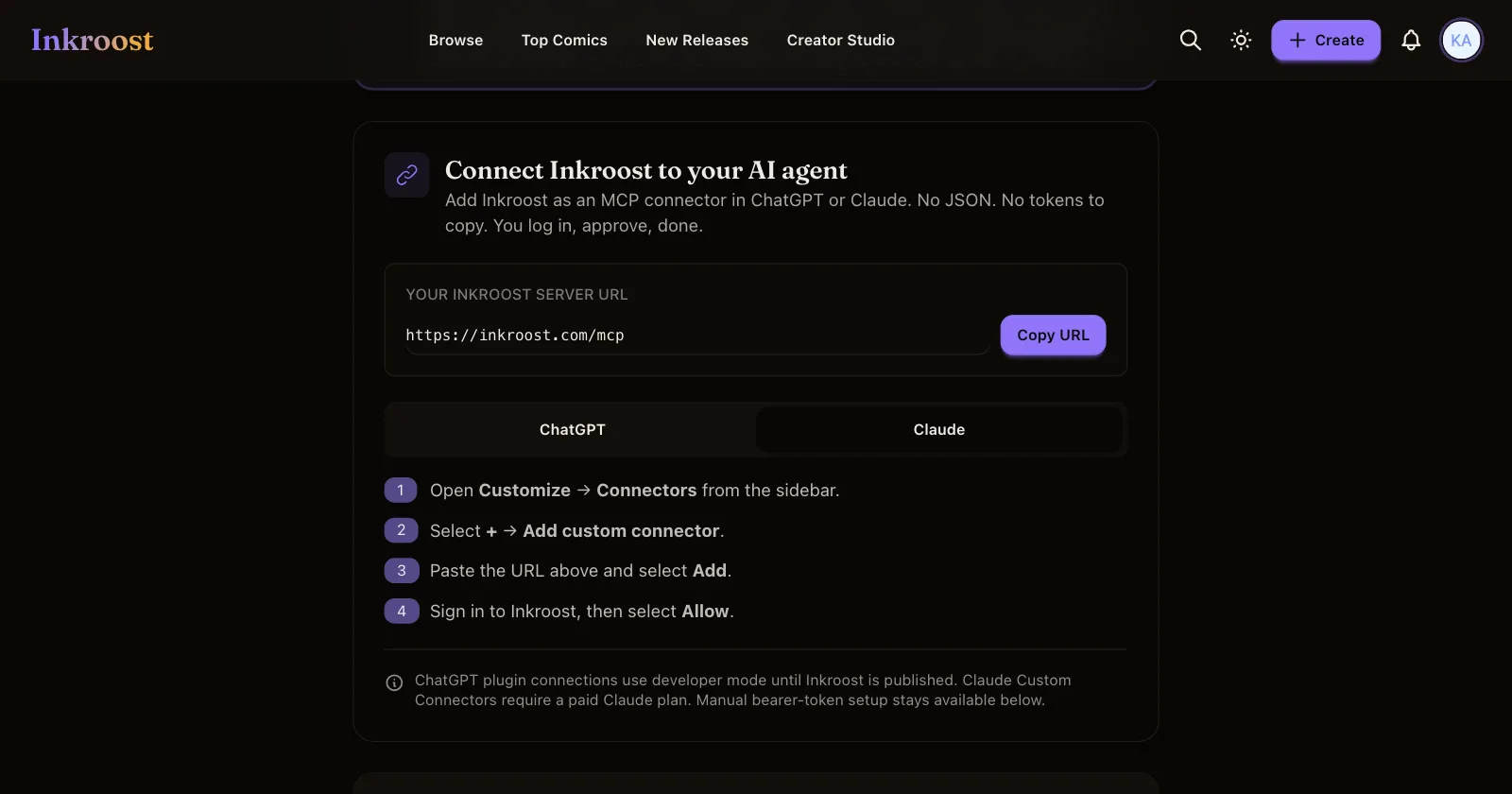
Open Settings, then the AI Agent Access tab. Press Copy URL to take your Inkroost server address, then in Claude:
- Open Customize, then Connectors.
- Select +, then Add custom connector.
- Paste the URL and select Add.
- Sign in to Inkroost, then select Allow.
That is the whole setup. Nothing to paste into a config file, no key to keep somewhere safe. The Connected agents list on the same settings page shows what has access, and removing a connection cuts it off straight away.
Start the series
Ask Claude to use the create-inkroost-series workflow and tell it what you are making. It asks only the questions that change the work, then builds the foundation: the series itself, set to vertical scrolling so it reads as a webtoon, a style profile describing the look, and a sheet for each named character.
Those sheets are the part people skip and then regret. Inkroost feeds a character's sheet into every page that mentions her by name, which is what keeps the same face across forty pages. The same goes for the places and objects that keep coming back: the shopfront, the phone, the sword. Ask Claude to write sheets for those too, and give each one the nickname your story actually uses.
Two decisions stay yours and cannot be handed over. A person has to accept the content policy on the series, and a person has to pick its age rating. Nothing is drawn until the policy is accepted, and nothing goes for review until the rating is set. Claude names the page to open in both cases.
Make the first chapter
Ask for a chapter and Claude uses the create-inkroost-chapter workflow. Before spending anything it shows you a beat sheet, one paragraph per page, along with the page count and the credit estimate, and waits for you to say yes. Change the beats at that point; a beat rewritten now is free, a page redrawn later is not.
Then it draws. Each page comes back for review, and you can see them all in one place under Review AI Batch, where you pick the variants you want and add them to the chapter in one go.
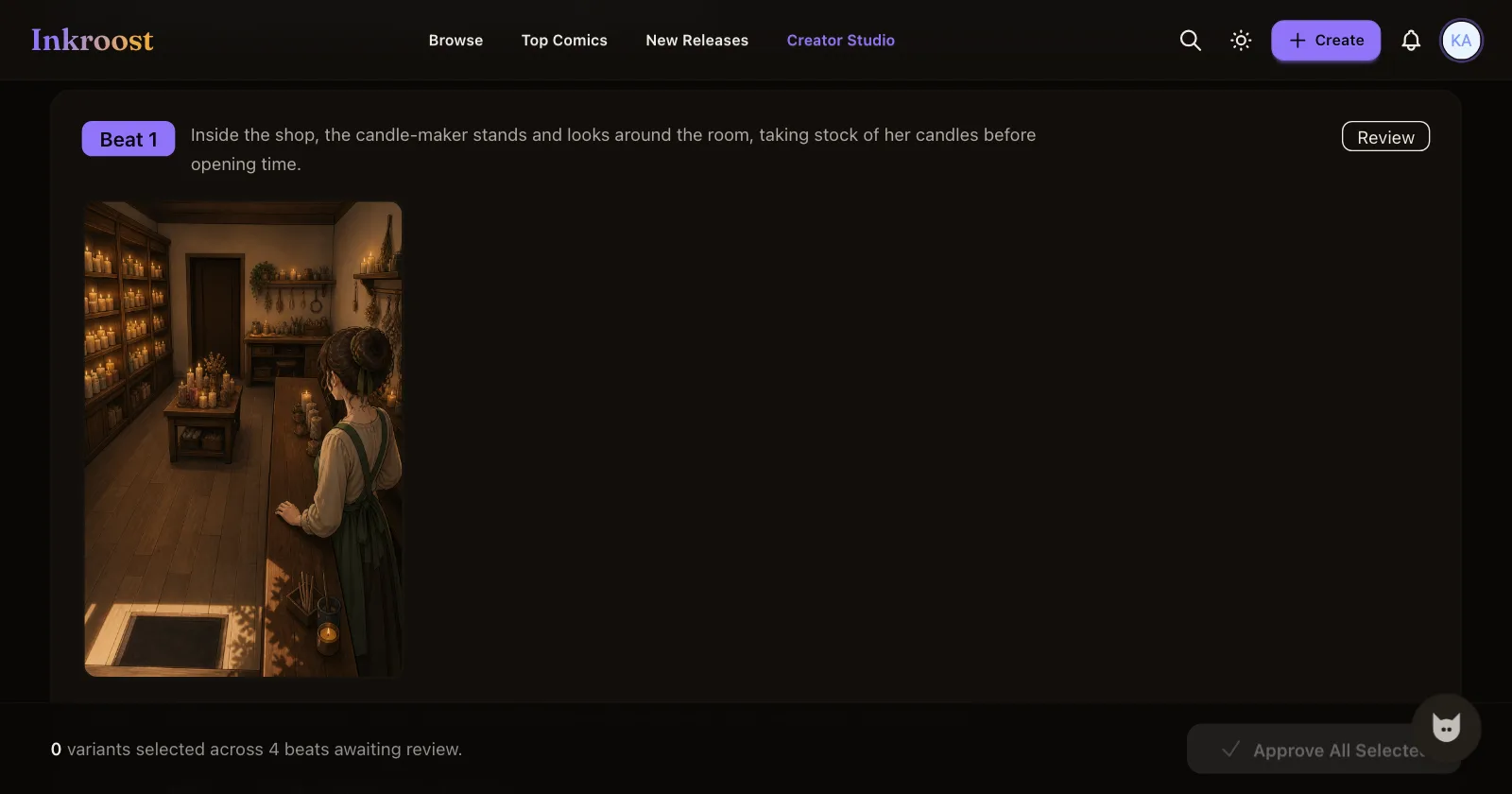
If a page is wrong, say what is wrong. Claude refines that one beat and redraws it rather than starting the chapter again.
Finish and publish
Once the pages are approved, Claude writes the text layer: alt text and a full transcript for every page. That is what lets a screen reader, a search engine or another assistant read your comic at all, and it is the difference between a chapter that can be found and one that cannot.
Ask it to submit the chapter when you are happy. Every chapter is reviewed before it becomes publicly readable, and it goes live from there by itself.
What it costs
One AI-drawn page costs 5 credits (about $0.12), so a 20-page chapter comes to 100 credits (about $2.50). Uploading art you drew yourself costs nothing. Credit packages are listed on the pricing page, which always shows the current rate, and buying them stays here on Inkroost rather than inside the assistant.
More about the format on the AI webtoon generator and webtoon maker pages, and the FAQ answers what agents can and cannot do here.