Make a comic with ChatGPT and publish it on Inkroost
ChatGPT is good at the script. Inkroost draws the pages and publishes them. Here is how to join the two, including the parts you still do yourself.
ChatGPT will happily write you a comic script. What it will not do is draw twenty consistent pages of it, put them in reading order, or put them somewhere readers can find them. That is the half Inkroost does, and the join between the two is simpler than it looks.
There are two ways to work. The first needs no setup at all and is the one to start with.
The paste path
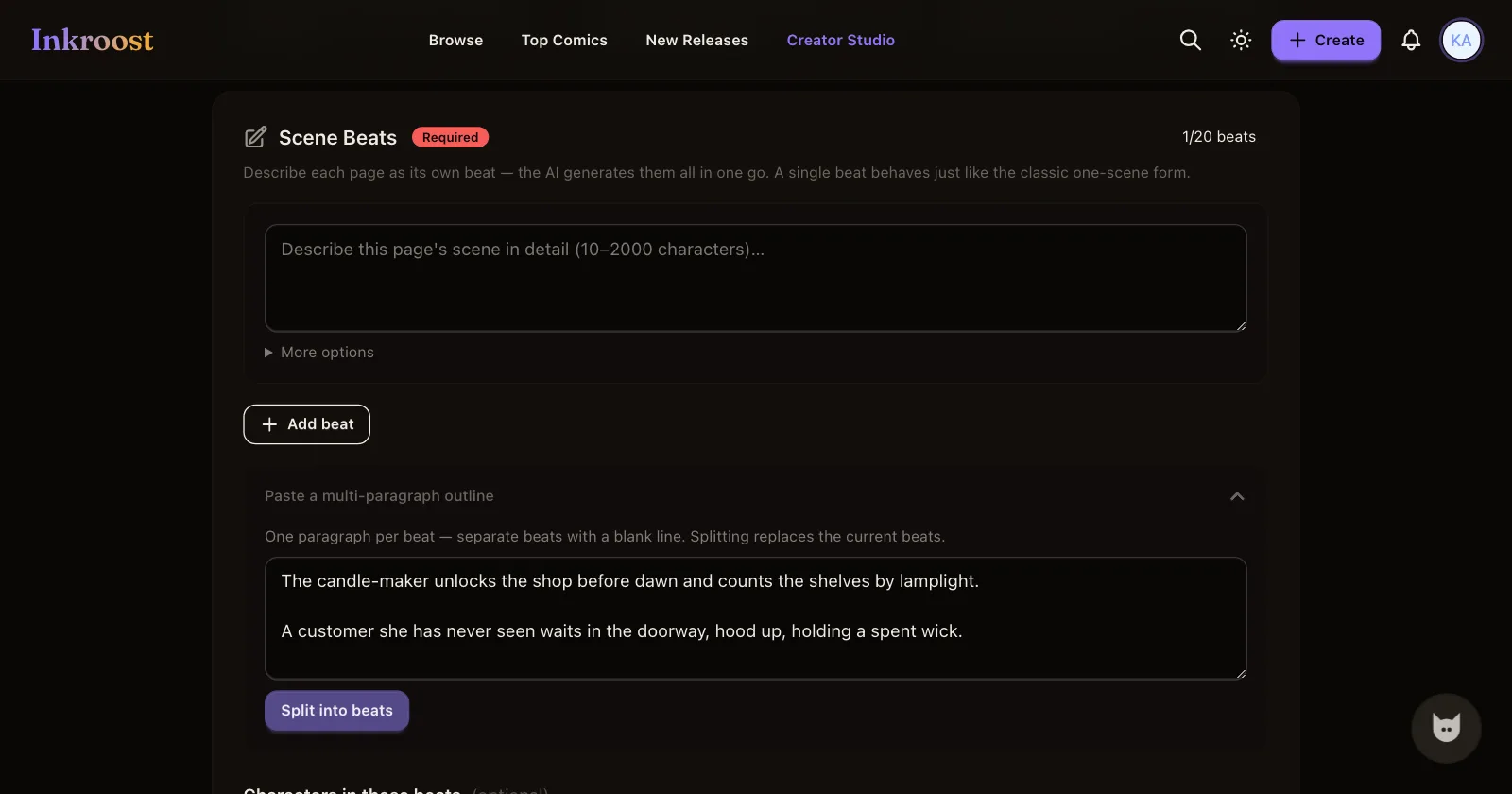
Ask ChatGPT for your chapter as one paragraph per page, separated by blank lines, describing what is visible rather than what is felt. "Mara counts candles by lamplight in a shop lined floor to ceiling with shelves" gives the drawing model something to work with. "Mara feels the weight of the morning" does not.
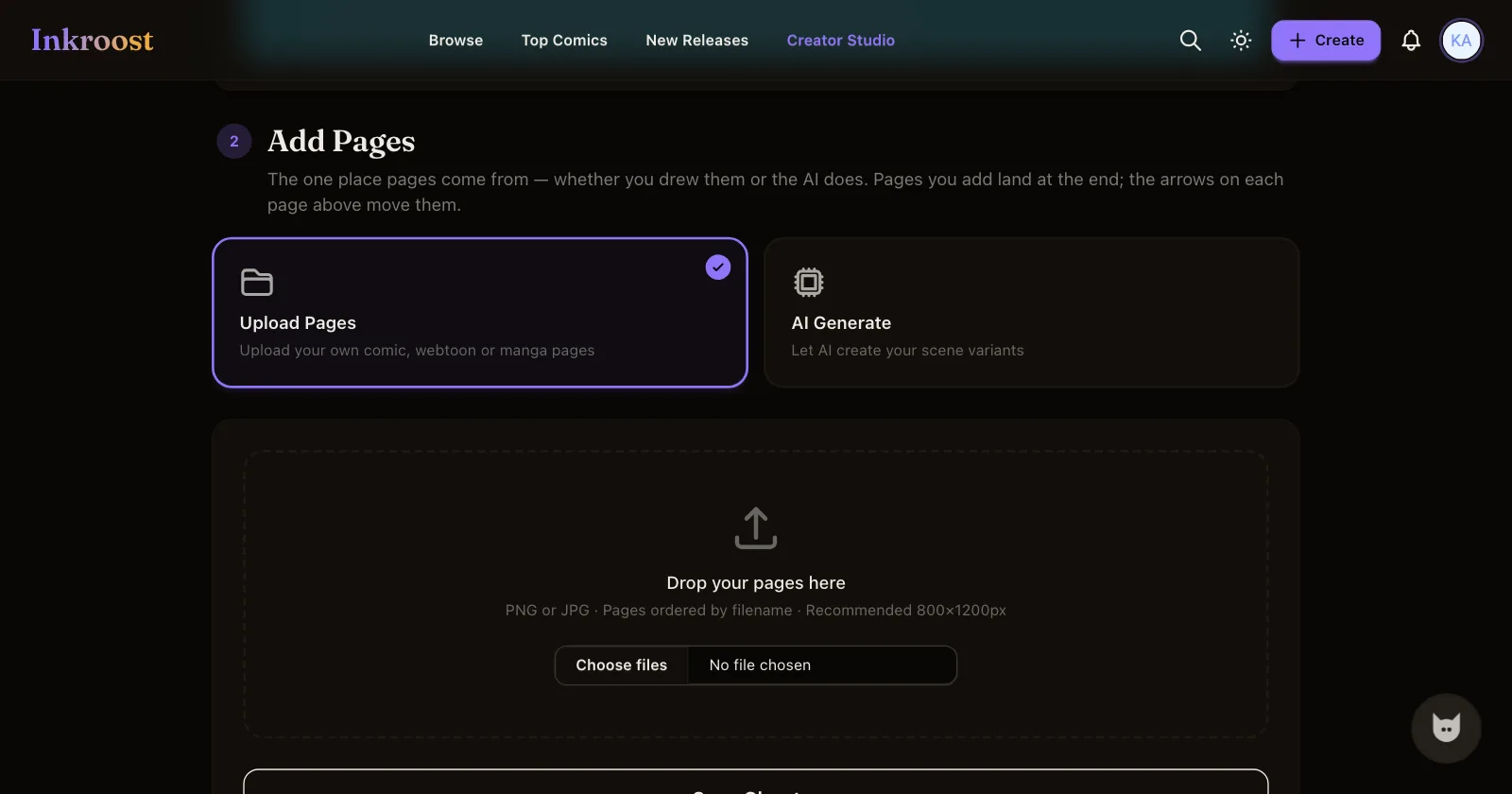
On Inkroost, open your series and press Add a chapter. Under Add Pages, choose AI Generate, then open Paste a multi-paragraph outline, drop the whole thing in, and press Split into beats. Each paragraph becomes one beat, and each beat becomes one page. The button at the bottom counts them back to you, so Generate 12 pages means your outline had twelve paragraphs. Press it and you land on a review page where you pick the variants you want.
Before you generate, tick your cast under Characters in these beats. A character with a sheet is drawn the same way on every page that names her; a character without one is reinvented each time. If you have not made the sheets yet, do that first from the series page. It is fifteen minutes that saves the whole chapter.
If ChatGPT helped you make the art somewhere else
Plenty of people write with ChatGPT and draw somewhere else, by hand or with an image tool. That path is a first-class one here and it costs no credits.
Under Add Pages, choose Upload Pages and drop your files in. PNG or JPG, ordered by filename, 800×1200 pixels is the size the reader is happiest with.
Either way, the next step is the same: give each page its words. Press Add page text to write alt text and a transcript yourself, or Draft it for me to have Inkroost write a first version from the artwork for you to correct. Artwork on its own is invisible to search engines, to screen readers and to assistants; the text layer is the only thing they can read.
Connecting ChatGPT directly
ChatGPT can also talk to Inkroost itself, which turns the paste step into a conversation. Inkroost is in the ChatGPT plugin directory now, so this takes about as long as reading the sentence: open Plugins in ChatGPT's sidebar, search for Inkroost, press +, then sign in and approve access. Nothing to paste, no developer mode.
One honest caveat: it changes who does the typing, not who decides. Once connected, ChatGPT can create the series, write the sheets, generate the pages and submit the chapter, but every page still comes back to you before it counts, and buying credits stays here on Inkroost.
Publishing
Press Publish on the chapter. It goes for review first, and goes live from there on its own once approved. Two things have to be settled before that can happen: the content policy has to be accepted on the series and the series needs an age rating. Inkroost names the page to open if either is missing.
One AI-drawn page costs 5 credits (about $0.12), so a 20-page chapter comes to 100 credits (about $2.50). Uploading art you drew yourself costs nothing. Current package prices are on the pricing page.
More on the format at the AI comic generator page, and the FAQ covers what assistants can do here and who owns the work.