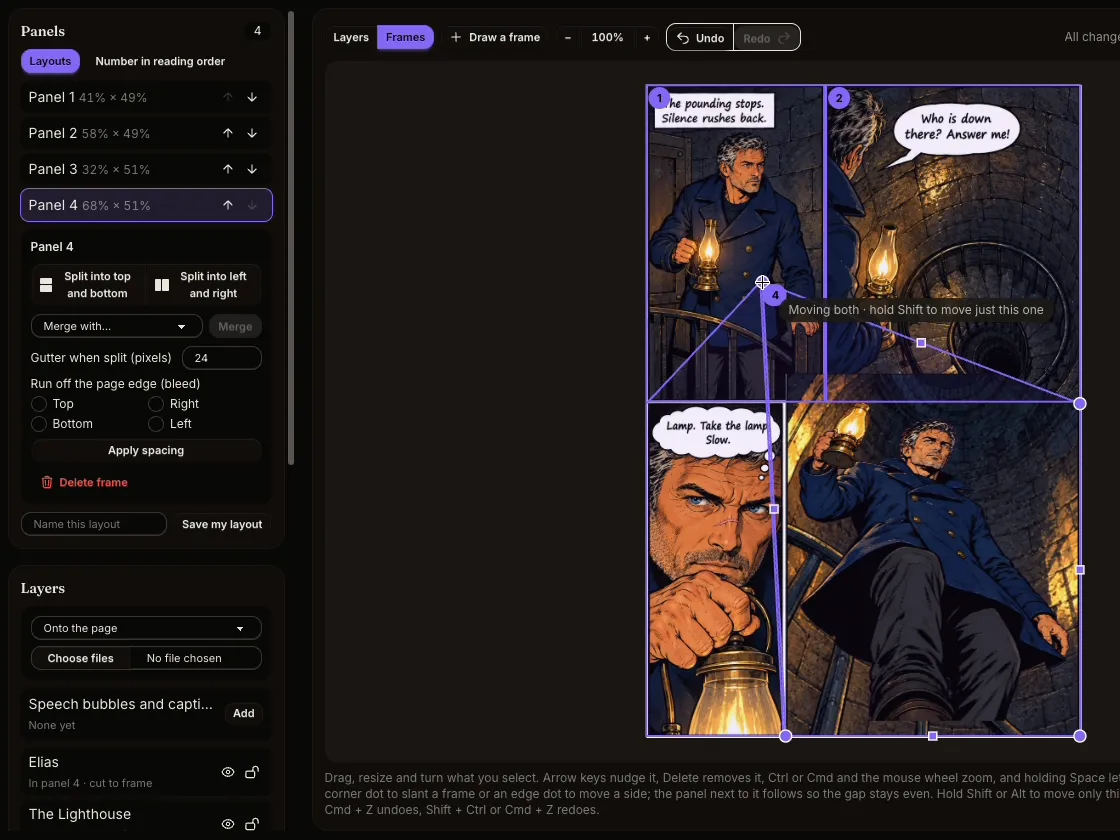
Layout templates and slanted panels
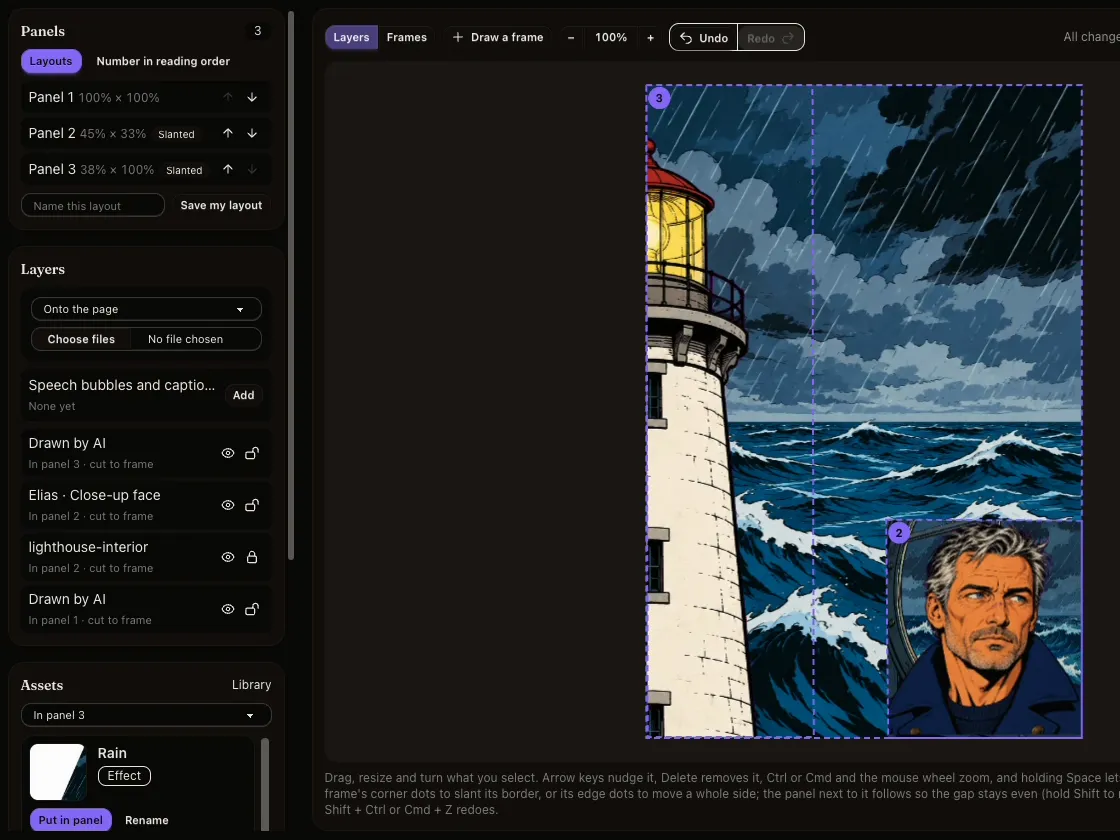
Start from a ready-made page layout or draw your own frames. Split, merge, set the gutters, run a panel off the page edge, and drag a corner to slant a border. Save a layout you like and use it again.
Inkroost Pro Studio
An online comic panel maker and page editor for comics, manga and webtoons. Lay out the frames, draw each panel with the AI model you choose or with your own art, and keep every character on model.
Signing up is free. Pro Studio is open to every creator: pay per drawing with credits.
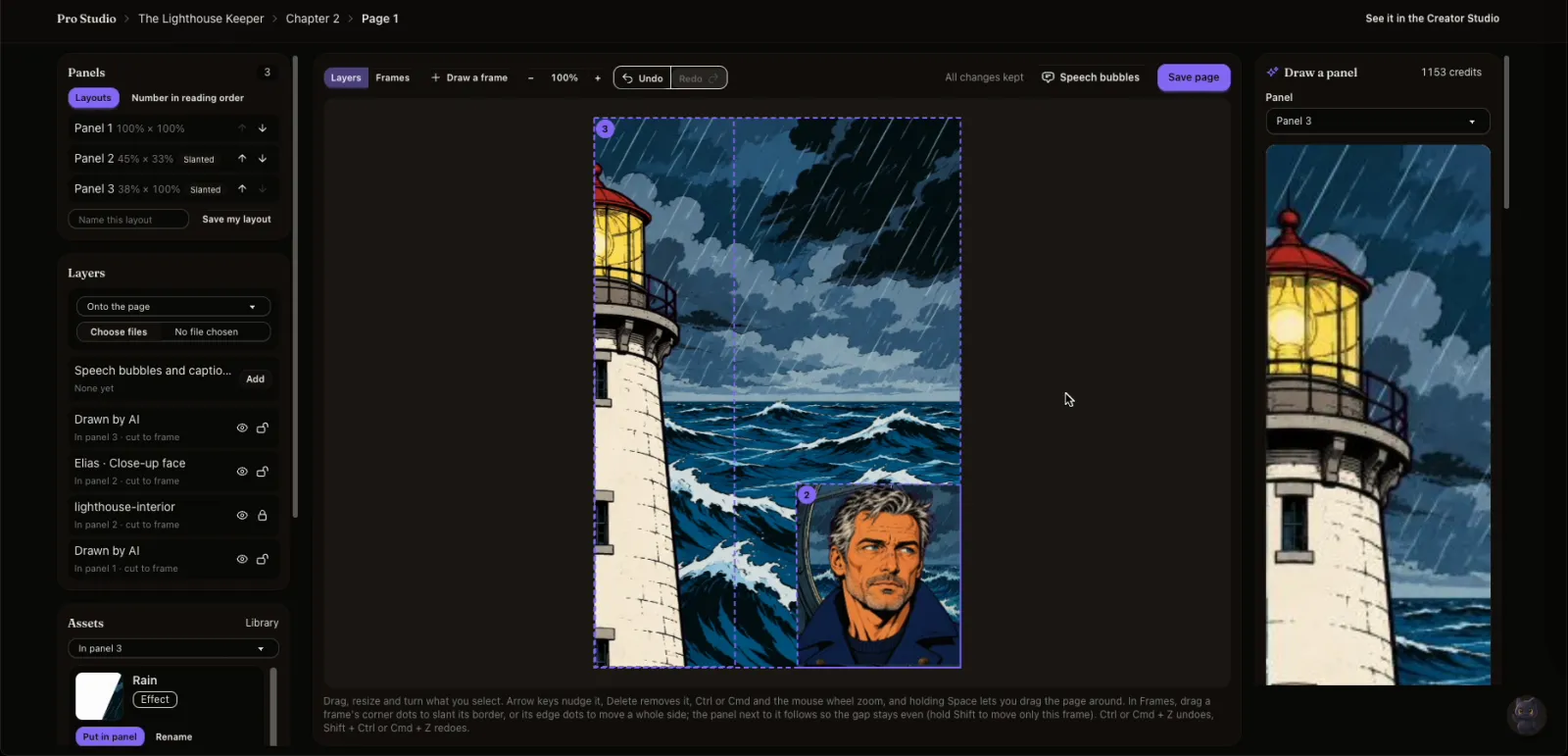
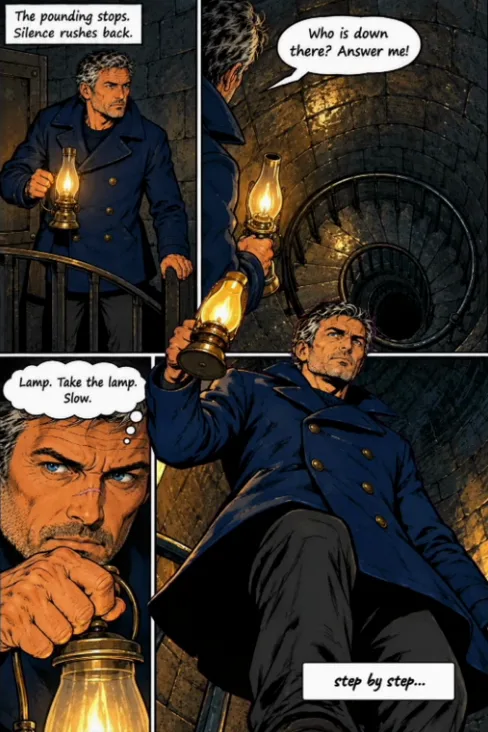
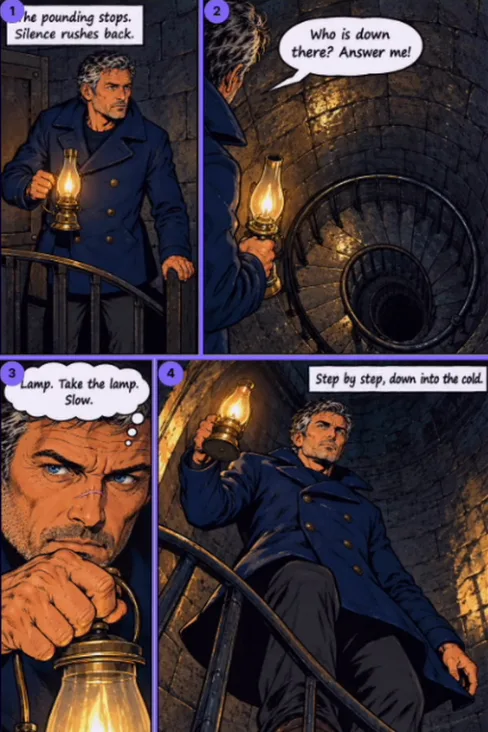
A real chapter, built in Pro Studio: panels found, a character lifted onto his own layer, a frame slanted, a new pose and the lettering.
The film has music and no voice. Its on-screen words and pictures, in order:
Every panel is a frame you place and every drawing is a layer you control. These are screenshots of real pages being made.
Start from a ready-made page layout or draw your own frames. Split, merge, set the gutters, run a panel off the page edge, and drag a corner to slant a border. Save a layout you like and use it again.
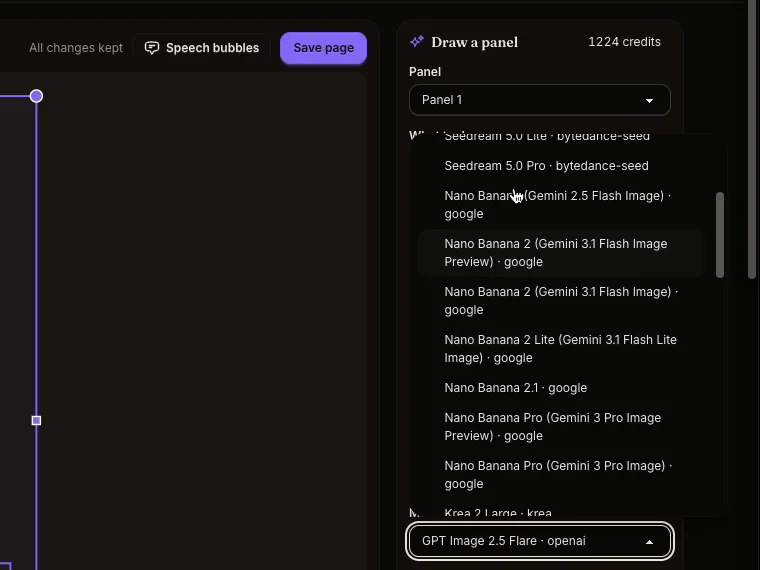
Choose from more than 40 image models for each drawing. The price in credits is shown before you draw, and a drawing that fails costs nothing.
Draw a whole panel, or one part at a time: the background, a character, a prop, the effects. Each part is its own layer you can move, resize, flip, hide or draw again without touching the rest.
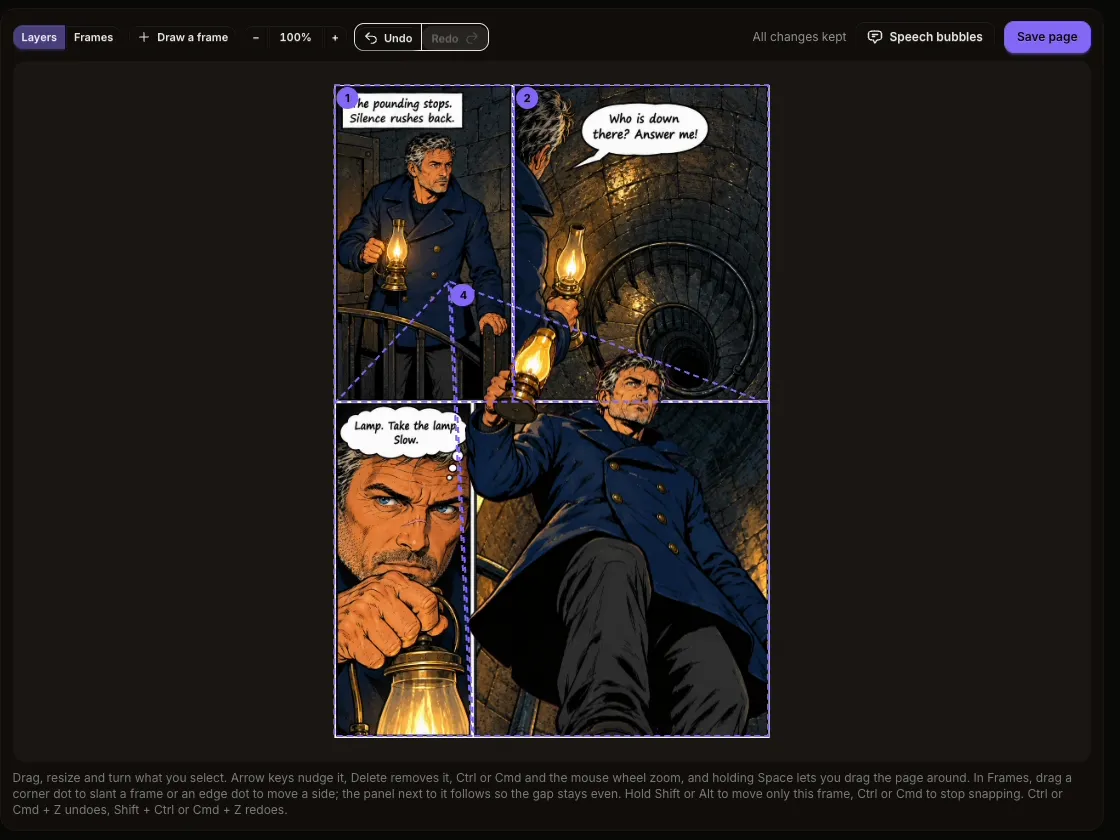
Pick a panel and Pro Studio lifts each character, object and effect onto its own see-through layer, and paints the background in behind them. Move anyone and no hole is left.
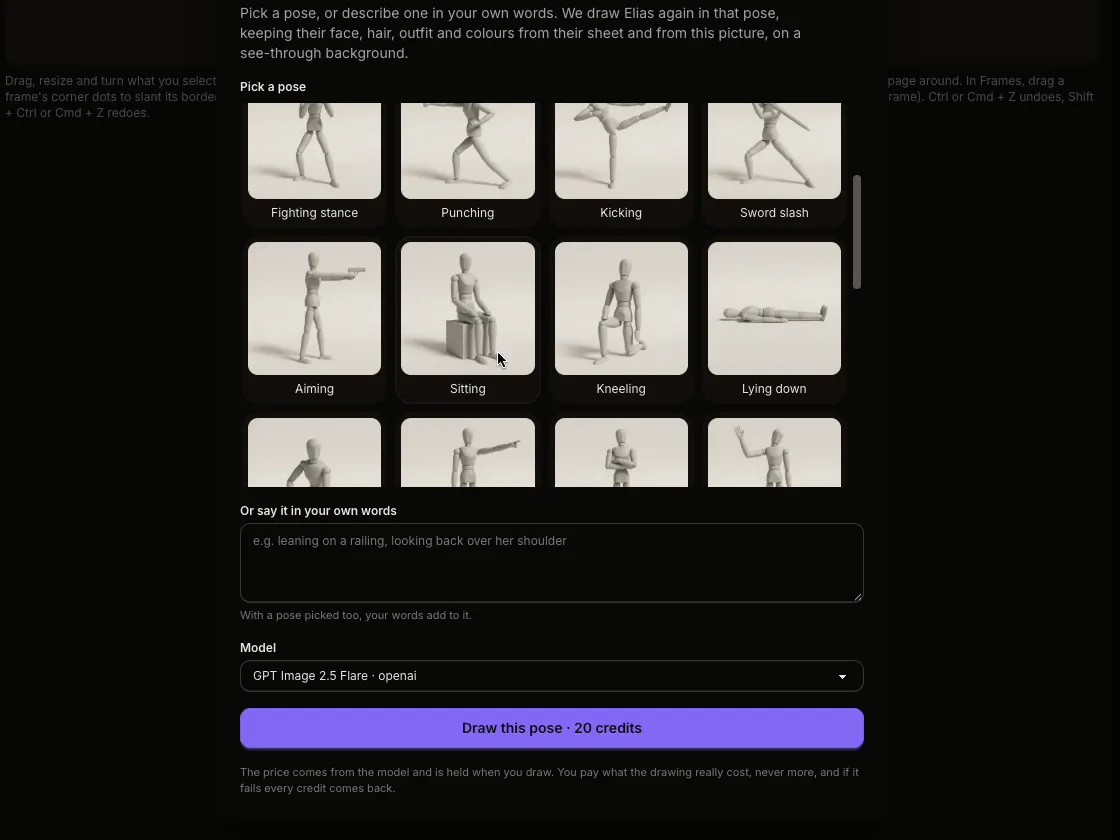
Choose one of 25 poses, from running and sword slashes to sitting or a close-up, or describe one in your own words. The character keeps the face, hair and outfit from their sheet.
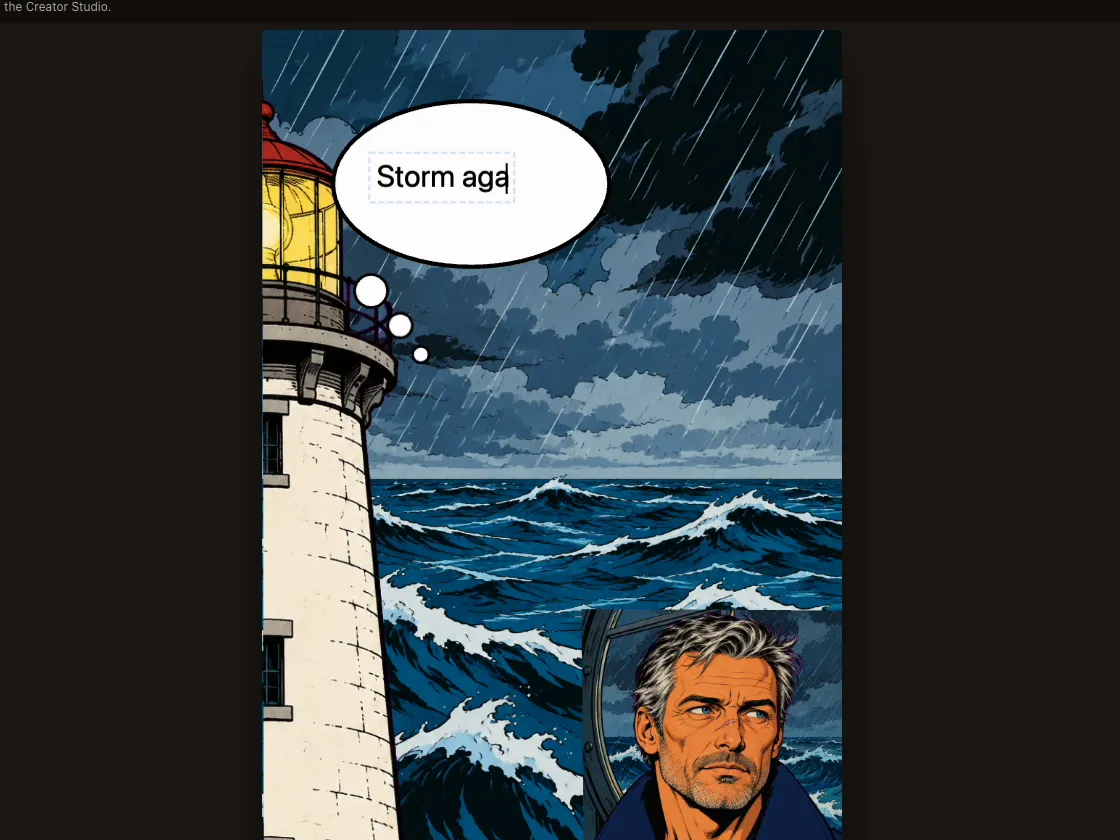
Letter the page with the same editor as the Creator Studio. Bubbles stay on top of every layer and stay editable in both studios.
Add characters, props and places once. Each upload is read into a sheet, so the next drawing keeps them on model.
Ask it to plan a page. After each save it checks the page against your sheets and the pages before it.
Step back through the last 50 changes to a page, even after a reload.
A Pro page is an ordinary page of your chapter. Open any page in Pro from its menu, and back again.
The Amazon KDP bundle carries Kindle ebooks and a print-ready interior and cover wrap. PDF, EPUB and CBZ too.
Ask Inky how anything in Pro Studio works. It knows the page and panel you have open.
Drawing by hand? Pro Studio is for you too. Hand-drawn and AI-made comics are equally welcome on Inkroost, and you can use AI for a single panel, or not at all.
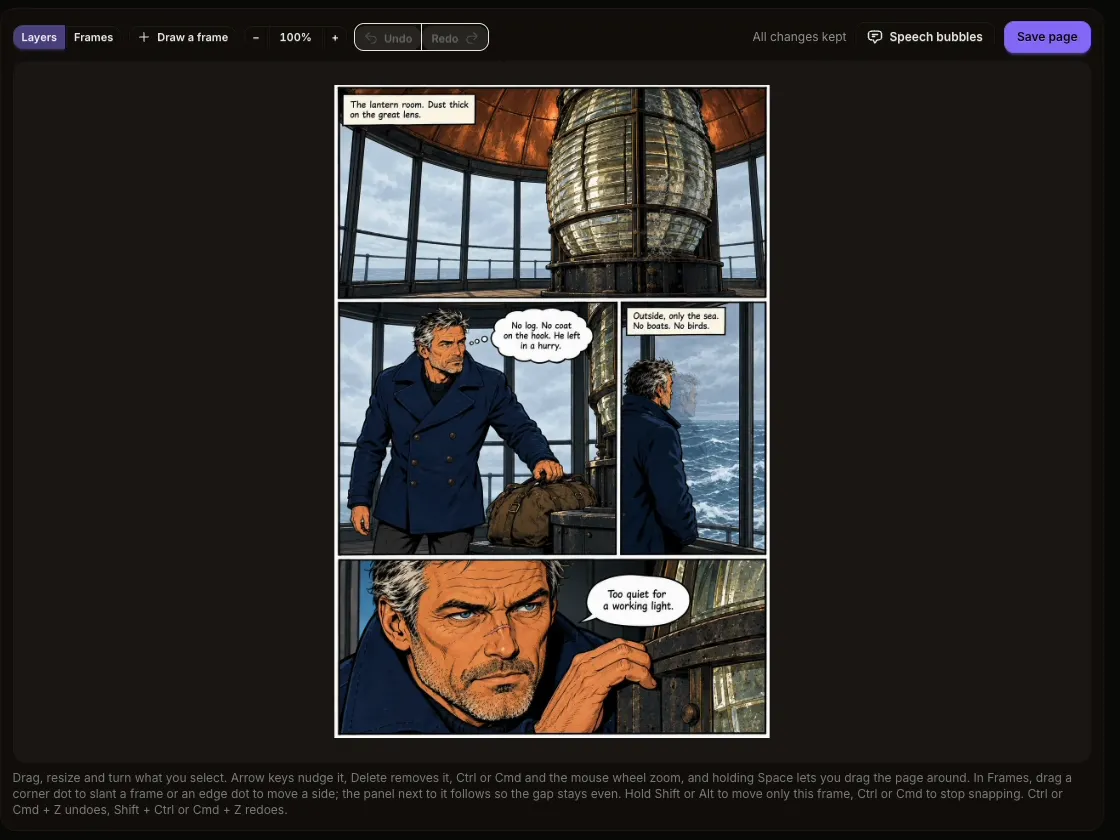
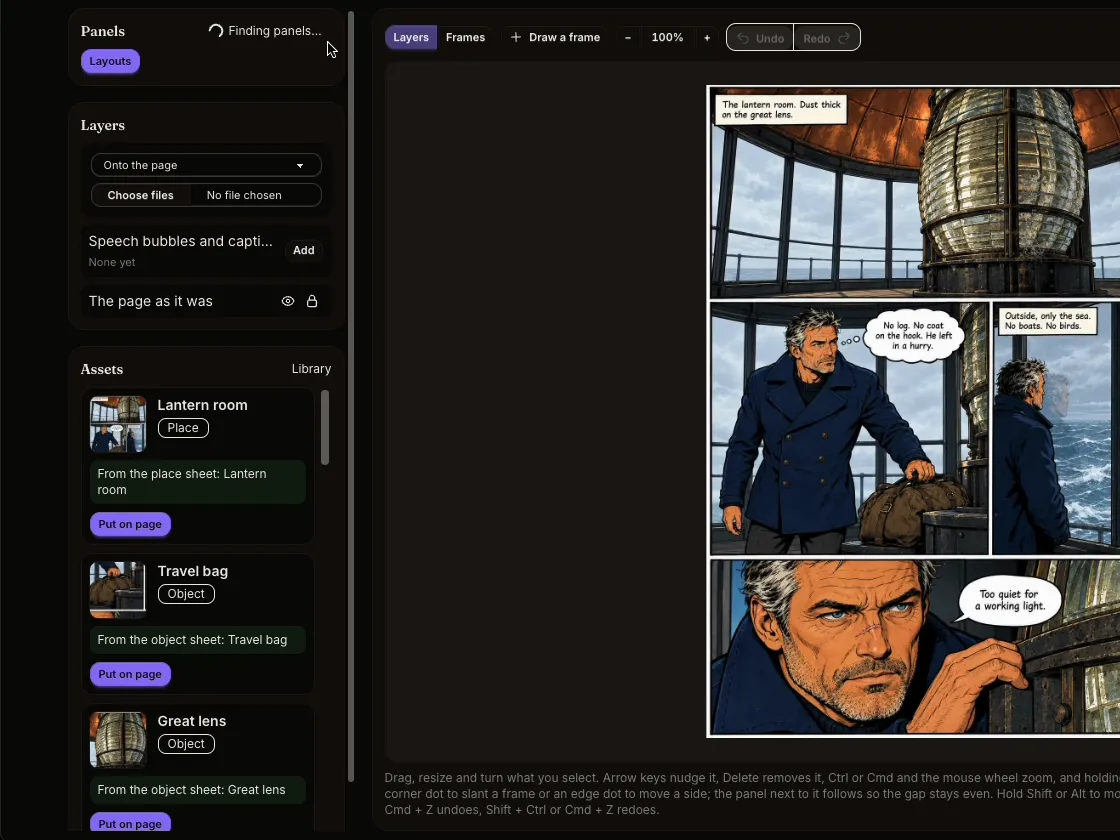
Two pages of The Lighthouse Keeper. Drag across each page to compare.
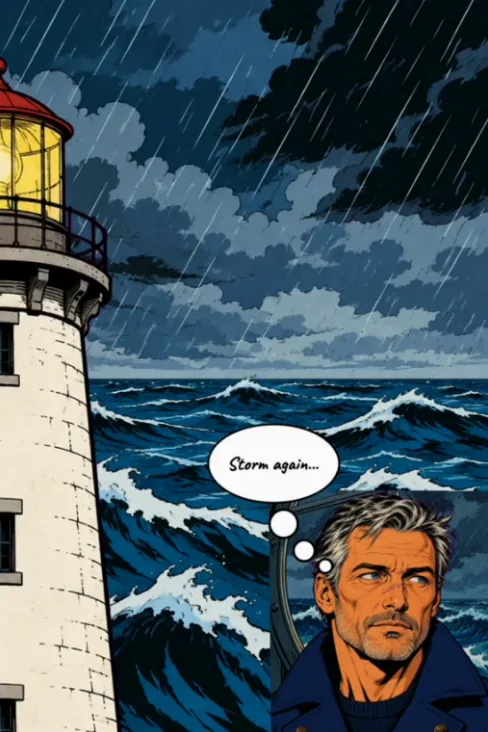
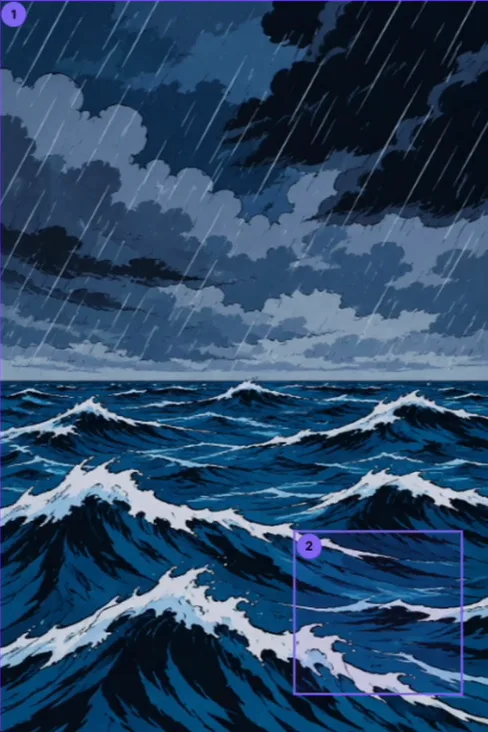 Before
After
Before
After
 Before
After
Before
After
Three steps, and you see the price of every drawing before you make it.
Pick a layout template, draw your own frames, or upload a page and let Pro Studio find its panels.
Draw with the AI model you pick, layer by layer, or place your own art and assets from the library.
Add speech bubbles and save. The page shows in the reader, in the Creator Studio and in every export.
Pro Studio is open to every creator: pay per drawing with credits. Plans give you more credits for less.
Free Opening Pro Studio costs nothing
$11.50 a month
Billed monthly
$22.99 a month
Billed monthly
The Starter pack works out at about $3 per 100 credits.
It is a comic page editor. You decide the layout, the frames and every layer, and AI is one of your tools: use it for one panel, one character or a whole page, or build pages from your own drawings with no AI at all.
No. Pro Studio is open to every creator with a free Inkroost account. You pay per drawing with credits, at the price shown before each one. Plans give you more credits for less: Creator at $11.50 a month with 450 credits; Studio at $22.99 a month with 1,000 credits.
Yes. Upload a finished page and Pro Studio finds its panels, slanted borders included, or upload drawings as layers. Characters, props and places you add to the asset library become sheets, so any AI drawing you do ask for keeps them on model.
Each model shows its price in credits before you draw, and you pay per picture. If a drawing fails, every credit comes back. Planning a page with the Assistant, checking consistency and lettering cost nothing.
Yes. Number panels right to left for manga, set the page size for comics, manga or webtoon pages, and export a webtoon strip sliced for vertical-scroll platforms.
Yes. A Pro page is an ordinary page of your chapter, so it goes into every export: the Amazon KDP bundle with Kindle ebooks and a print-ready interior and cover wrap, plus PDF, EPUB, CBZ and page images.
Pro Studio needs a computer or a tablet. On a phone you can look at your Pro pages, but not edit them.
You do. Your series stays yours, and so does every page you build in Pro Studio.
Lay out a page, fill its panels your way, and share it with readers.
Signing up is free. Pro Studio is open to every creator: pay per drawing with credits.
We use cookies to improve your experience. Essential cookies are required for the site to function. You can choose to accept all cookies or customize your preferences. Privacy Policy
Essential
Required for the site to function. Cannot be disabled.