Inkroost MCP: generate a manga chapter from a script
The create-inkroost-chapter workflow, tool by tool: right-to-left pages, a cost estimate before anything is charged, review, and submitting the result.
Inkroost speaks the Model Context Protocol at one HTTPS endpoint, https://inkroost.com/mcp. Every operation the web app offers is there: create a series, write style and character sheets, draw pages, review them, write the text layer, submit for review. This is the path from a script you already have to a manga chapter waiting for moderation.
Connecting
Two ways in, both from Settings, then AI Agent Access.
A Custom Connector is the short one: paste the server URL into Claude or ChatGPT, sign in, approve. Nothing to store.
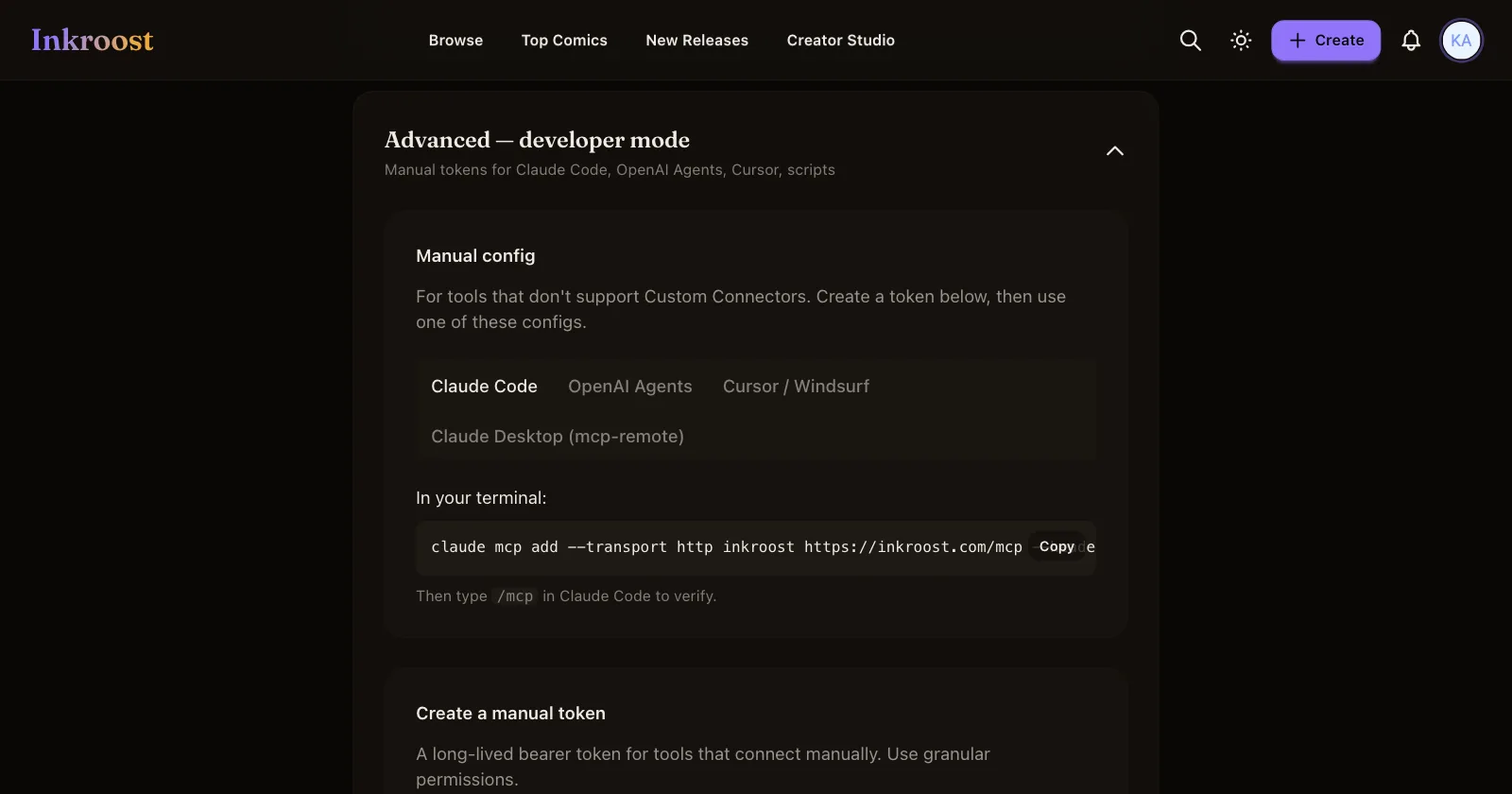
For Claude Code, OpenAI Agents, Cursor, Windsurf or your own script, open Advanced — developer mode on the same page and mint a bearer token. The panel gives you a ready-made config for each client. Token abilities are granular — read story data, write story data, generate art, publish, read credits — so an agent that only drafts pages never needs the ability to spend credits or put work in front of readers.
The workflow is served to you
Rather than reimplementing the process, ask the server for it. prompts/list exposes create-inkroost-series and create-inkroost-chapter; the second takes an optional series and an optional chapter request and returns the full workflow with your request appended. A client that loads tools but not prompts gets the same text from list-skills-tool followed by get-skill-tool.
What follows is that workflow in outline, so you know what your agent is going to do before it does it.
Right to left, decided once
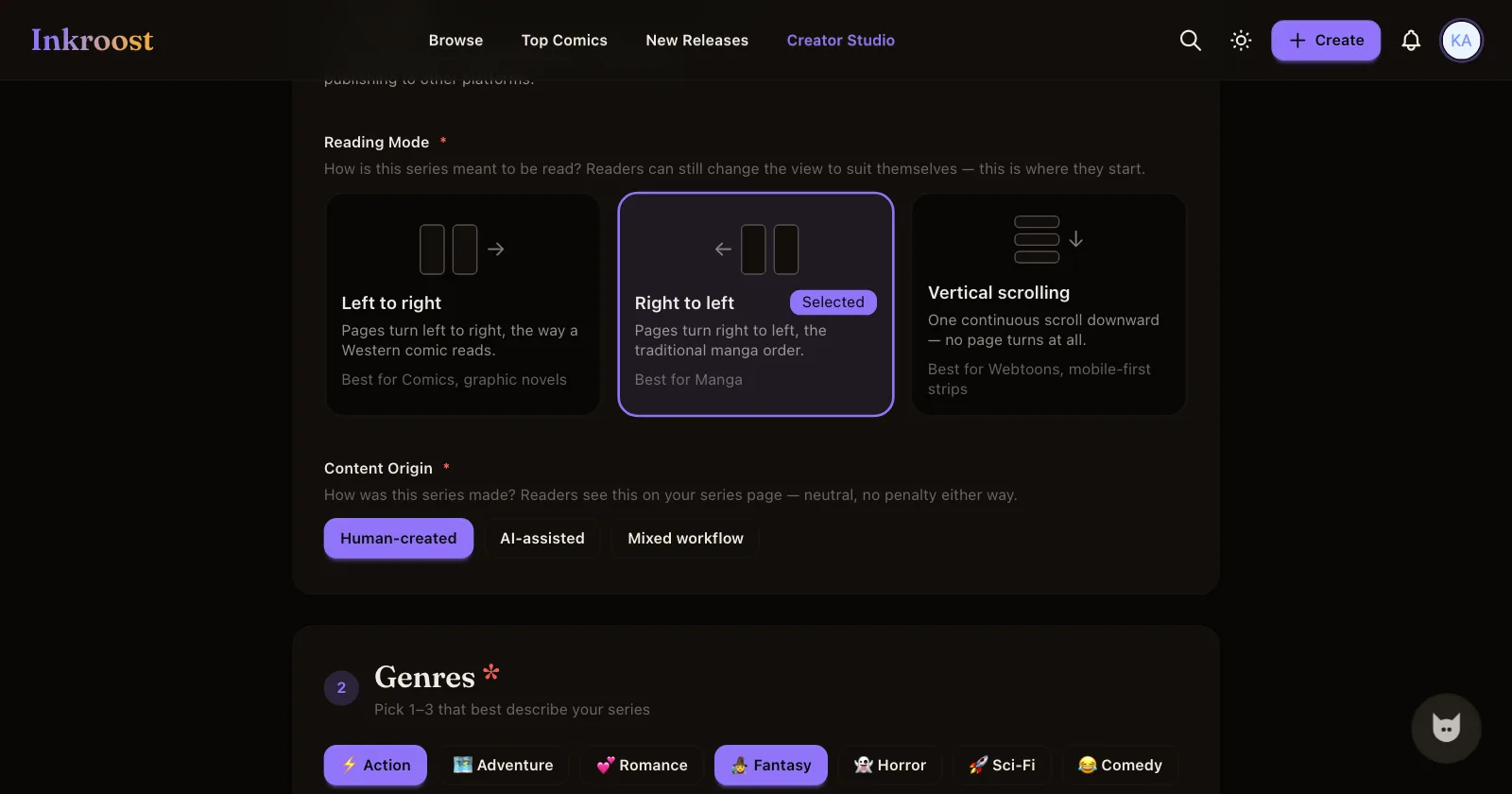
Reading direction lives on the series, not the chapter. create-series-tool takes reading_direction of rtl and reading_mode of paged for traditional manga; vertical is the continuous webtoon scroll, and ltr is the Western order. The reader honours it, exports carry it in their manifest, and every chapter underneath inherits it. There is no tool for editing a series afterwards, so get it right at creation; changing it later means opening the series form on the web.
Tool by tool
Resolve and load. search-series-tool or list-series-tool to turn a title into an id — never guess one. Then get-story-state-tool, get-consistency-context-tool, get-chapters-tool, get-locations-tool and get-props-tool, which between them tell you the next free chapter number, the established voices, the style constraints and which sheets already exist.
Fill the gaps before drawing. A recurring place or object without a sheet is redesigned every time it appears. create-location-tool and create-prop-tool, with the aliases your script actually uses, cost nothing and are the difference between a chapter that reads as one place and one that does not. Same for create-character-tool and set-character-style-profile-tool.
Price it. check-balance-tool, estimate-generation-cost-tool and get-daily-limit-status-tool. The estimate takes the total number of images, which is pages times variants, not pages. The daily cap resets at midnight UTC, so a long chapter may want splitting across two runs.
Draw. create-chapter-tool, then generate-pages-batch-tool with the character, prop and location ids each beat needs, and variant_count of 1 unless somebody has agreed to pay for alternatives. Prefer structured panels over one blob of prose per page.
Watch and inspect. get-art-status-tool per job; processing with no URL yet is normal and not a reason to redraw. When a job reaches review, look at the image with get-page-image-tool and check the things a model gets wrong: object counts, panel order, who is who, and every rendered word. If your client cannot display images, say so rather than claiming you checked.
Fix, then approve. regenerate-page-tool for one bad beat, delete-page-tool and insert-page-tool for a structural change, reorder-pages-tool when the order moved. Then approve-pages-tool or batch-approve-pages-tool in story order.
Write the text layer. set-page-text-tool for every page: alt_text for what is visible, transcript for the full reader-facing text in reading order. This is not optional polish. It is the only part of the chapter a search engine or another assistant can read, and it is required even for a silent chapter.
Verify and finish. get-pages-tool to check the sequence, confirm-page-order-tool once you have actually checked it, then submit-for-review-tool. That records the intent to publish and sends whatever still owes a review, so approval puts the chapter live with no second call. Any later insert, delete or reorder needs the order confirmed again.
Two things an agent cannot do for you
The content policy has to be accepted by a person before any generation tool will spend a credit, and the series needs a declared age rating before a chapter can be submitted. Both refusals name the page to open. They are deliberate: neither is a decision to hand to a model.
One AI-drawn page costs 5 credits (about $0.12), so a 20-page chapter comes to 100 credits (about $2.50). Uploading art you drew yourself costs nothing. Live prices are on the pricing page, and credits are bought on Inkroost, not through the connector.
More about the format on the manga maker and manga page generator pages; the FAQ has the short version of what the server exposes.