Take your comic to an e-reader
Any series or chapter you make on Inkroost can leave as an ebook. One page per screen, edge to edge, with a cover and a contents list, ready for most e-readers and reading apps.
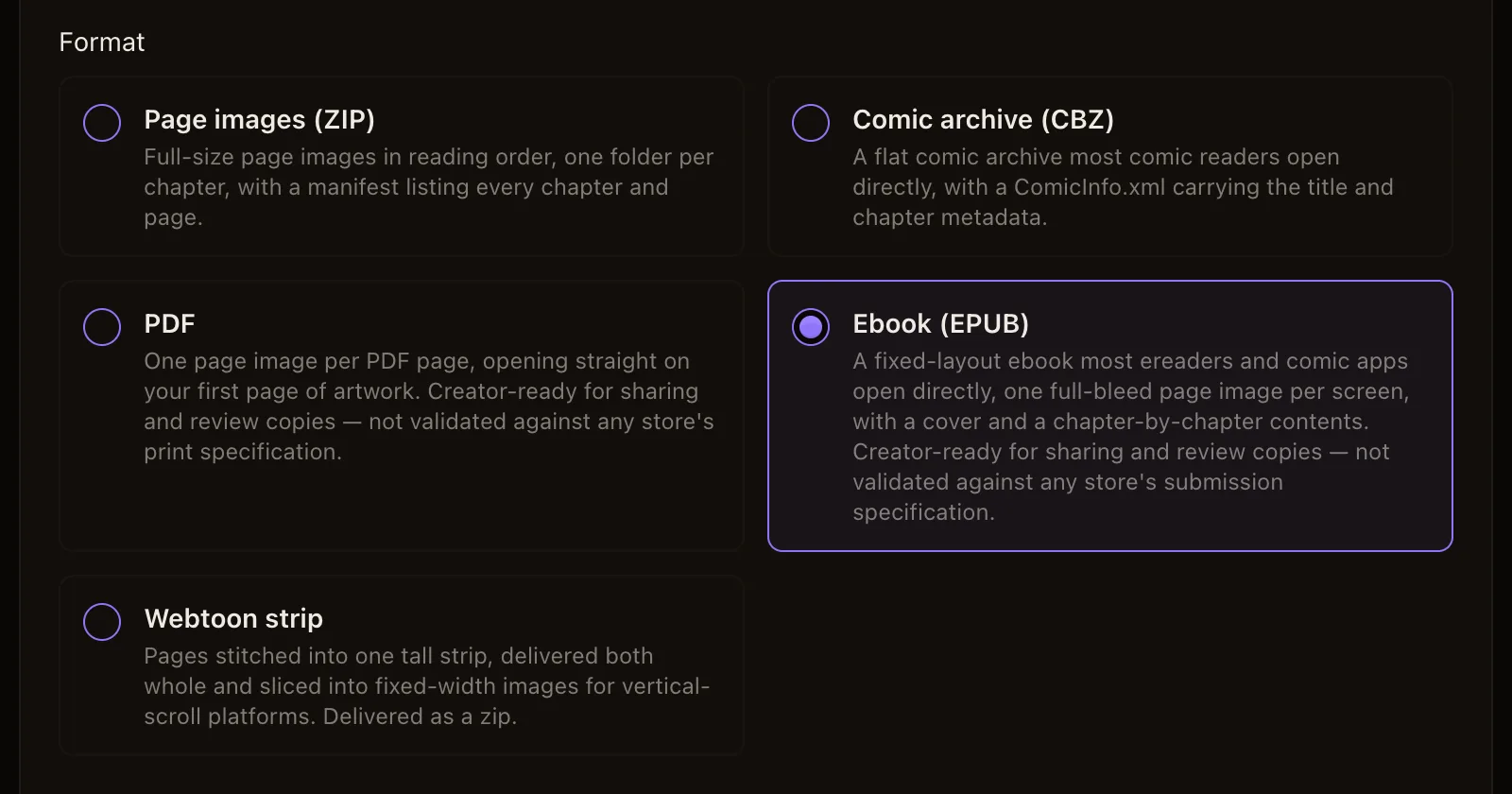
What it is. The Export panel in your studio can package a chapter, or a whole series, as an ebook (EPUB). It is a fixed-layout book, the kind comic readers expect: every page fills the screen on its own, with no white margins around the artwork, and turning the page moves one comic page forward.
The book carries your cover, a divider page at the start of each chapter, and a contents list that goes chapter by chapter, so a long series reads like a book rather than a folder of pictures.
Why it matters. Not everyone reads on a website. Some of your readers want the story on a Kobo, in Apple Books, or in a comic app on a tablet, and some people want a copy they keep. An ebook is also the easiest way to hand a review copy to a friend, a reviewer or a publisher.
How to use it.
- Open your series in the studio and choose Export. You can also start from a chapter's own card.
- Under What to package, keep the whole series or pick one chapter.
- Choose Ebook (EPUB) as the format.
- Decide on the small Inkroost mark in the corner of each page. Keeping it is free; the form shows what a copy without it costs before you start.
- Start the export. Packaging runs in the background, so you can keep working and come back for the download.
- Download the file and open it on your device: drop it into Apple Books or Google Play Books, or copy it onto a Kobo. Amazon's Send to Kindle accepts EPUB files too, although Kindle converts them on the way, so check how the pages look there.
Good to know.
- The download is temporary. It is removed a while after it is ready, or soon after you download it. Your chapters and pages are never touched, and you can export again any time.
- The ebook opens in most e-readers and reading apps. It has not been checked against any store's submission rules, so treat it as a sharing and review copy, not as a file ready to sell in a store.
- The same panel also makes page images, a comic archive (CBZ), a PDF, a webtoon strip and a short social video.