

The best AI manga generators in 2026
Six AI manga generators, compared on what each one says about itself. Inkroost comes first because it is ours: we built it for creators who mix their own pages with AI and want readers. The table shows where each tool stands, and the list below says what each one does best.
How this compares
| Feature | Inkroost | Higgsfield Mangaka | Mangami | Anifusion | LlamaGen | Mangaka.app |
|---|---|---|---|---|---|---|
| Draws manga pages from an idea or a script | Yes | Yes | Yes | Yes | Yes | Yes |
| Keeps characters the same with sheets or saved references | Yes | Yes | Yes | Yes | Yes | Not stated |
| Manga, webtoon and comic formats | Yes | Yes | Yes | Yes | Yes | Not stated |
| Panel layout editor | Yes | Not stated | Yes | Yes | Not stated | Not stated |
| Speech bubbles and editable dialogue | Yes | Not stated | Yes | Yes | Not stated | Yes |
| Publish finished pages you drew yourself, as they are | Yes | No | Yes | Not stated | Not stated | Not stated |
| A community where readers find your comic | Yes | Yes | Yes | Yes | Not stated | Not stated |
| Create from a phone | Yes | Not stated | No | No | Not stated | Yes |
| Create from inside ChatGPT or Claude | Yes | Not stated | No | Not stated | Not stated | Not stated |
| Animation or video made from your comic | Yes | Not stated | No | Yes | Yes | Yes |
| Translated and colour editions of your chapters | Yes | Not stated | No | Not stated | Not stated | Not stated |
| Your own series website, on yourname.inkroost.com or your own domain | Yes | No | No | Not stated | Not stated | Not stated |
| Export as a Kindle ebook or a paperback for Amazon KDP | Yes | No | No | Not stated | Not stated | Not stated |
| Support link for creators | Yes | Not stated | No | Yes | Not stated | Not stated |
Compared on what each tool shows publicly about itself on its own website, checked on 3 November 2026. "Not stated" means the tool's own pages do not say either way. Prices are not compared: see our pricing page.
Your art. Your story. Your readers.
Bring your original comic, manga or webtoon. Upload your pages, publish chapters, and give readers a reason to come back.
Upload & share your work →Free to publish · No AI required · Your work stays yours
Free to start. AI drawing is paid for in credits, and packs start at $5.99 USD.
Free to start. You keep your work, and you can take it down whenever you like. See a finished chapter ·
Six AI manga generators, one by one
-
1. Inkroost
Inkroost draws manga, webtoon and comic pages from your words and takes pages you drew yourself, in the same chapter. Pro Studio gives panel-by-panel control with poses and 3D rooms, and a finished chapter can become translated editions, an animated episode or a Kindle book. You publish to readers on Inkroost and on your own series website.
Best for: creators who mix their own pages with AI and want readers.
-
2. Higgsfield Mangaka
Higgsfield Mangaka turns an idea, a script or an image into a chapter: it writes the pitch and the chapter list, sets up the cast, then draws and letters the pages. Readers can read community comics on the site.
Best for: a chapter generated end to end from one idea, especially if you already use Higgsfield's video tools.
Inkroost and Higgsfield Mangaka compared in detail -
3. Mangami
Mangami drafts a whole manga from one story in a desktop editor, with characters, scenes and props as assets, a large menu of image models, layers, inpainting and HD upscaling. It is also a community for posting manga.
Best for: desktop users who want a whole manga drafted in one click and fine control over each layer.
Inkroost and Mangami compared in detail -
4. Anifusion
Anifusion pairs AI image generation with a hands-on canvas: panel presets or your own layouts, six-view character reference sheets, pose control and lettering in manga fonts. Finished work can go to its community gallery.
Best for: hands-on artists who want to lay out and paint every panel at a desktop.
-
5. LlamaGen
LlamaGen generates a full comic, webtoon or manga from a prompt, a character description or your script, with saved characters for consistency and edits by chat. It can also turn a comic into other formats such as video.
Best for: turning a prompt or a script into a full comic quickly, and then into video.
-
6. Mangaka.app
Mangaka.app turns a script you type or upload as a TXT file into manga panels, with custom characters, preset or custom styles and editable dialogue. It has phone apps and can make a chapter intro video with voiceovers.
Best for: writers who start from a finished script and like to work on a phone.
The same scene in the looks Inkroost draws
One rooftop scene, drawn by Inkroost in each look. Pick the one your story wants and every page starts from it.
-
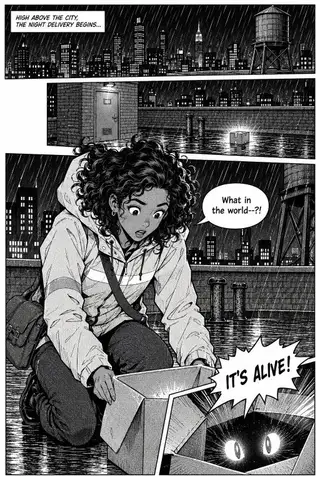 1
Manga B&W
High-contrast ink, speed lines, dramatic angles
Start in this look ↑ -
 2
Shonen
Action, screentone, impact frames
Start in this look ↑ -
 3
Shojo
Soft tones, elegant lines, emotional close-ups
Start in this look ↑ -
 4
Anime colour
Bright cel shading, thin coloured lineart
Start in this look ↑ -
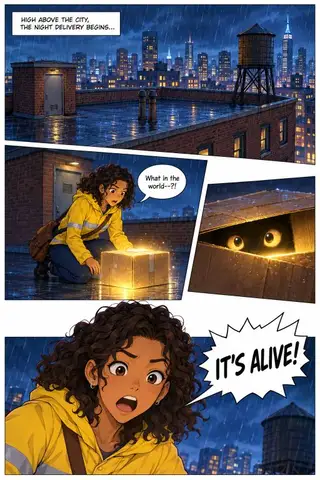 5
Webtoon
Cel-shaded colour, clean lines, made to scroll
Start in this look ↑ -
 6
Chibi
Cute, rounded, bright and simple
Start in this look ↑
Start free. Keep going with a plan.
New accounts start with 50 free credits — enough for your first 5 pages. Uploading pages you drew is always free. Plans start at $3.99 a month, and credit packs at $5.99.
Manga on Inkroost
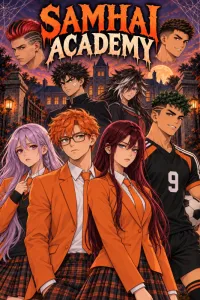
Real manga that reads right to left, published here by the people who own it.



How to choose
How we compared
Every cell is what the tool says about itself on its own website, checked on 3 November 2026. Where a tool's pages do not say, the table reads "Not stated" instead of guessing. Prices are left out because they change every month.
What to look for in an AI manga generator
Check whether the cast stays the same from page to page, whether you can bring pages you drew yourself, whether you can work where you are (desktop, phone or a chat assistant), and where readers will find the finished comic.
Where Inkroost fits
Inkroost is built for creators who draw some pages and let AI draw others, and who want readers: on Inkroost, on their own series website and on the platforms they send chapters to.
What it looks like, step by step
Screenshots of the actual screens, in the order you meet them.
-
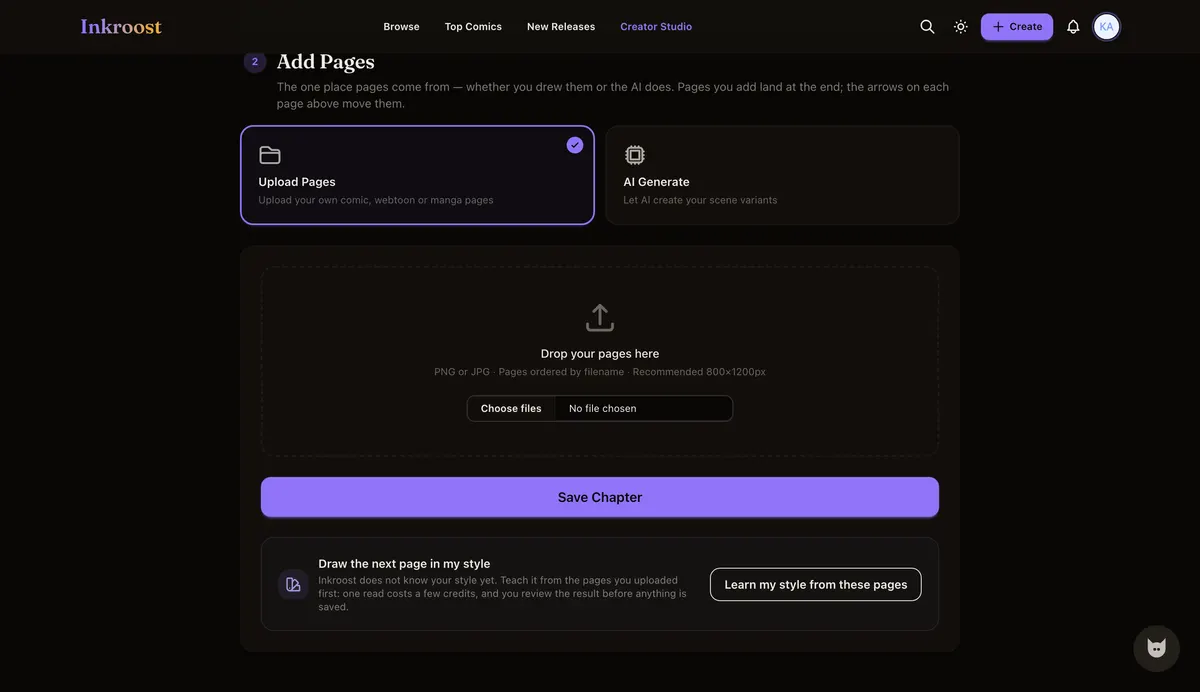
1
Bring the pages you drew
Uploading your own art is free, and those pages sit in the same chapter as the pages the AI draws.
-
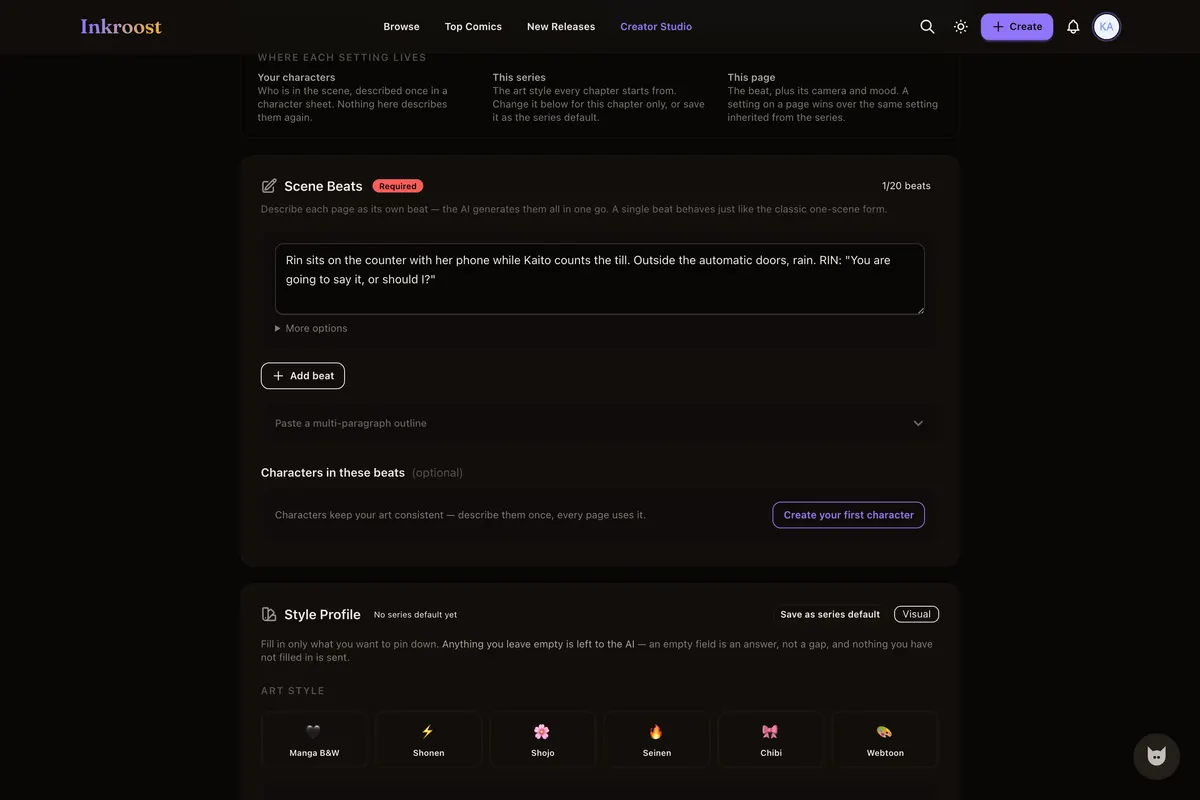
2
Write the scene, see the price first
Describe the page in plain sentences. The page count and the credit cost show before anything is drawn.
-
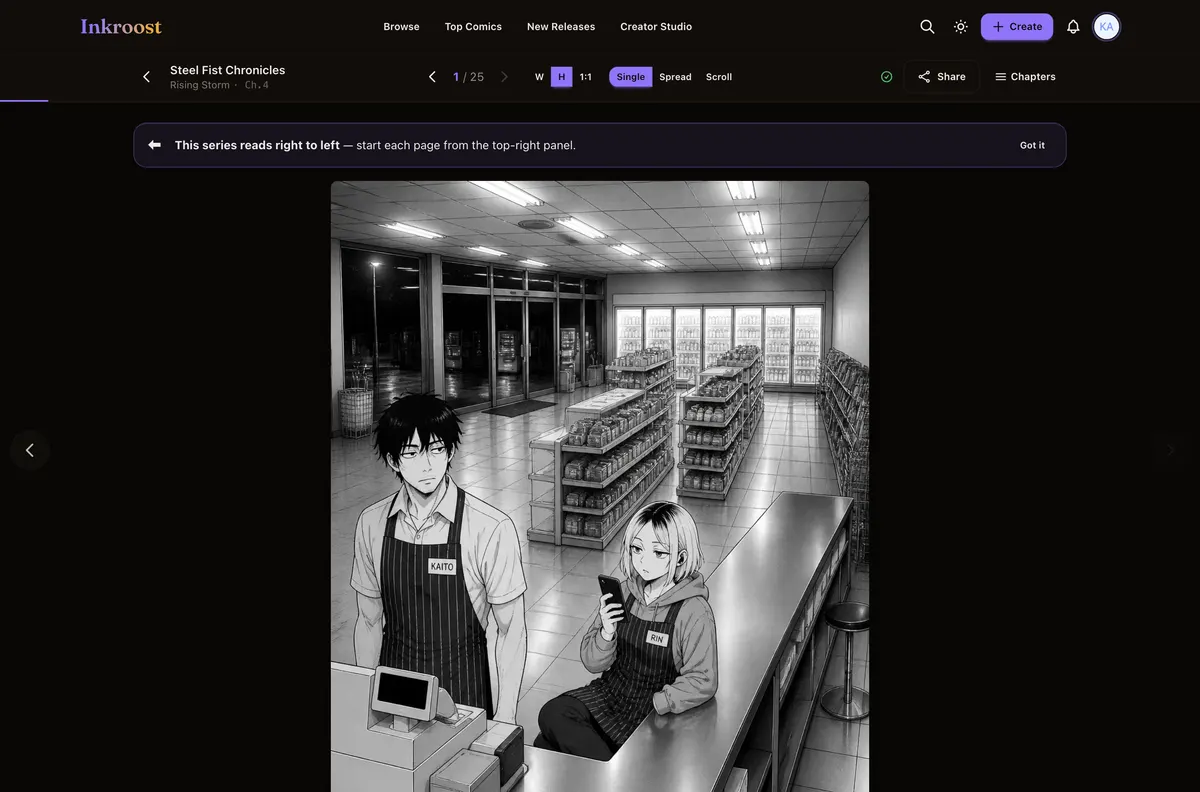
3
Publish to readers
The chapter reads right to left in any browser, free, for readers who follow the series and come back for the next chapter.
Manga pages published here
Straight out of the catalogue. Tap one to read the chapter it belongs to.
What it costs
One AI-drawn page is 10 credits (about $0.30), so a 20-page chapter comes to about 200 credits (about $5.99). New accounts start with 50 free credits — enough for your first 5 pages. Uploading art you drew yourself costs nothing, and reading is always free. See the full pricing.
Questions people ask
What is the best AI manga generator?
It depends on how you work. To mix your own pages with AI and grow readers, Inkroost. For a chapter generated end to end from one idea, Higgsfield Mangaka. For a desktop editor with many image models, Mangami or Anifusion. For a quick comic from a prompt, LlamaGen. For a script on a phone, Mangaka.app.
Which AI manga generators work on a phone?
Inkroost works in a phone browser, and Mangaka.app has phone apps. Mangami and Anifusion say on their own pages that creating needs a desktop. The others do not say.
Which of these publish pages I drew myself?
Inkroost and Mangami both take finished pages you drew. Higgsfield Mangaka's upload turns your script or image into new manga pages rather than publishing them as they are. The others do not say.
Why is Dashtoon not on this list?
Dashtoon's own site says Dashtoon Studio, its comic creation tool, shut down on 15 August 2026.
What does a chapter cost in dollars?
One AI-drawn page costs 10 credits (about $0.30), so a 20-page chapter comes to 200 credits (about $5.99). Uploading art you drew yourself costs nothing. Credit packs start at $5.99.
More ways in
Your first page is free.
Free to join, no card needed, and your 50 welcome credits draw your first 5 AI pages. If you would rather draw them yourself, upload them instead — both are first-class here.
Start your manga