Pick up where you left off, from anywhere
A Continue button in the navbar and a card on the home page take you straight back to the chapter or panel you had open. Your credit balance now sits in the navbar too, one tap from getting more.
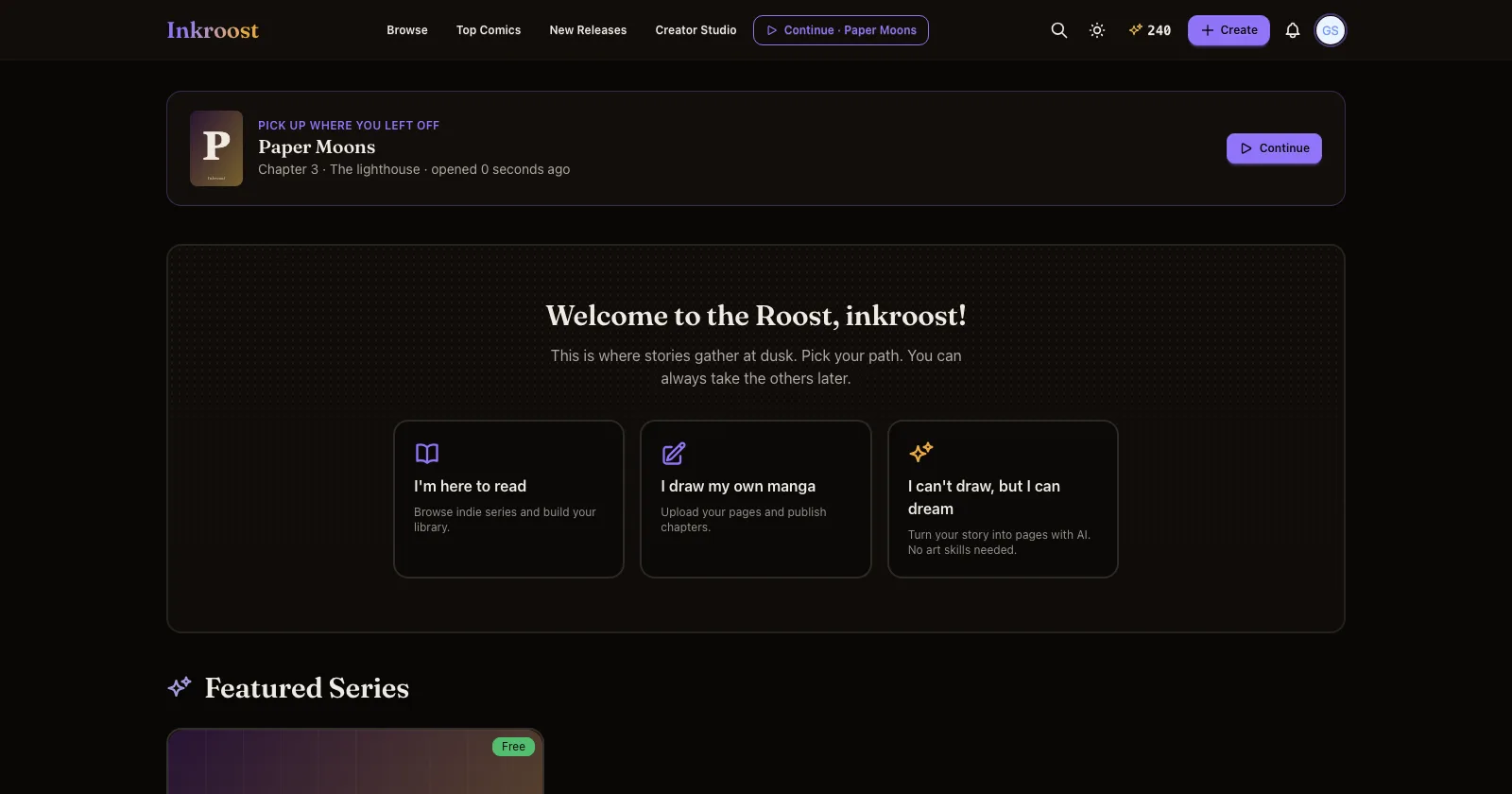
What shipped. Inkroost now remembers the series and the panel you last had open in Creator Studio. On every page, the navbar shows Continue · your series next to Creator Studio, and the home page opens with a Pick up where you left off card: the cover, the chapter or panel you were on, and when. One tap and you are back in it. The same entry lives in your profile menu.
Why it matters. Coming back used to mean Creator Studio, then the right series, then the right chapter, before you could draw a single panel. Continuing a story should be easier than starting one.
How to use it. Nothing to set up. Open a chapter, a sheet or any panel in the studio, leave, and the Continue button follows you until you open something else. If you have a series but the studio does not remember a panel yet, Continue opens that series with Inky.
Also. Your credit balance is now in the navbar on every page, phone included. Tap it to get more credits.