

Manga maker
Right-to-left reading, chapter by chapter, with character sheets that keep a face the same face from page one to page two hundred.
Your art. Your story. Your readers.
Bring your original comic, manga or webtoon. Upload your pages, publish chapters, and give readers a reason to come back.
Upload & share your work →Free to publish · No AI required · Your work stays yours
Free to start. AI drawing is paid for in credits, and packs start at $5.99 USD.
Free to start. You keep your work, and you can take it down whenever you like. See a finished chapter ·
One scene, five manga looks
The same rooftop scene, drawn by Inkroost in each manga look. Pick the one your story wants; every page after it starts from that look.
-
 1
1
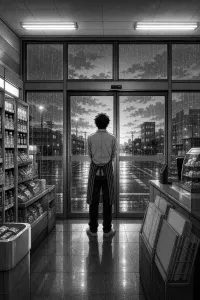
Manga B&W
High-contrast ink, speed lines, dramatic angles
Start in this look ↑ -
 2
2
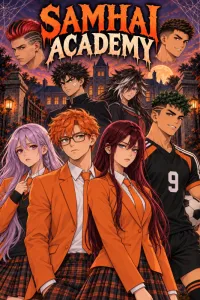
Shonen
Action, screentone, impact frames
Start in this look ↑ -
 3
3
Shojo
Soft tones, elegant lines, emotional close-ups
Start in this look ↑ -
 4
4
Seinen
Fine detail, cross-hatching, cinematic panels
Start in this look ↑ -
 5
5
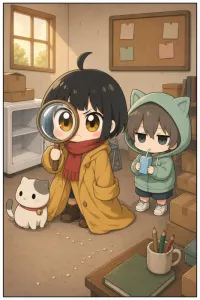
Chibi
Cute, rounded, bright and simple
Start in this look ↑
Start free. Keep going with a plan.
New accounts start with 50 free credits — enough for your first 5 pages. Uploading pages you drew is always free. Plans start at $3.99 a month, and credit packs at $5.99.
Manga on Inkroost
Real manga that reads right to left, published here by the people who own it.



Everything a manga needs, in one place
Black ink, white paper, screentone
Five manga looks: Manga B&W, Shonen, Shojo, Seinen and Chibi. The four black-and-white ones keep to ink and dot screentone even when a character sheet says red hair or a yellow jacket, so the pages look printed, not tinted.
Draw it, upload it, or both
Upload the pages you drew, free, or write a page as a beat and have it drawn in the look you picked. Mix the two in one chapter: any drawn page can be swapped for one you upload, at any point before or after publishing.
Colour and other languages, later
A finished black-and-white chapter can become a colour edition or a translated edition. Each is a separate series linked to the original and sharing its cast sheets, and every page comes back for your review before the edition is published.
From chapters to a volume
Publish chapter by chapter so followers hear about each one, then package the run as a fixed-layout ebook, a CBZ or a PDF, or send the whole series to AI MANGA in one step. Nothing you publish here is exclusive.
What it looks like, step by step
Screenshots of the actual screens, in the order you meet them.
-
1
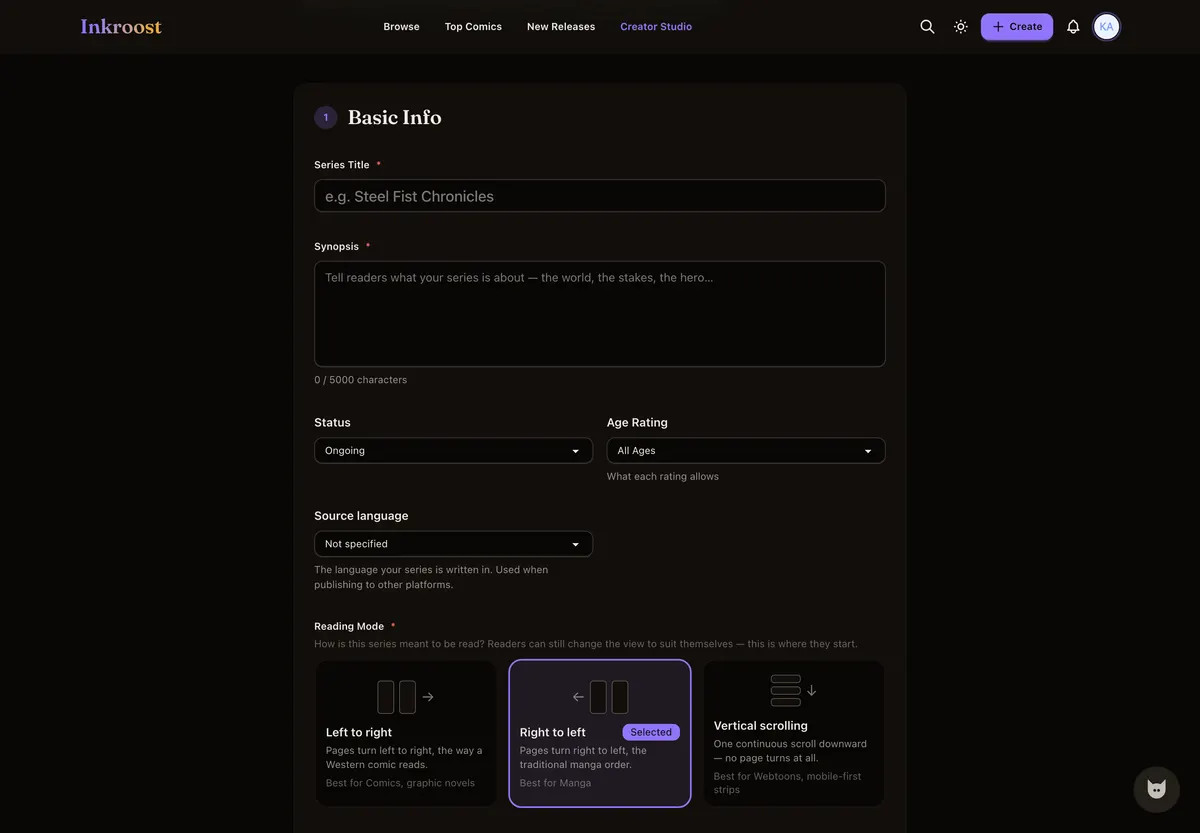
Start the manga
Title, synopsis, genres — and right-to-left reading, which decides how every chapter after this one behaves.
-
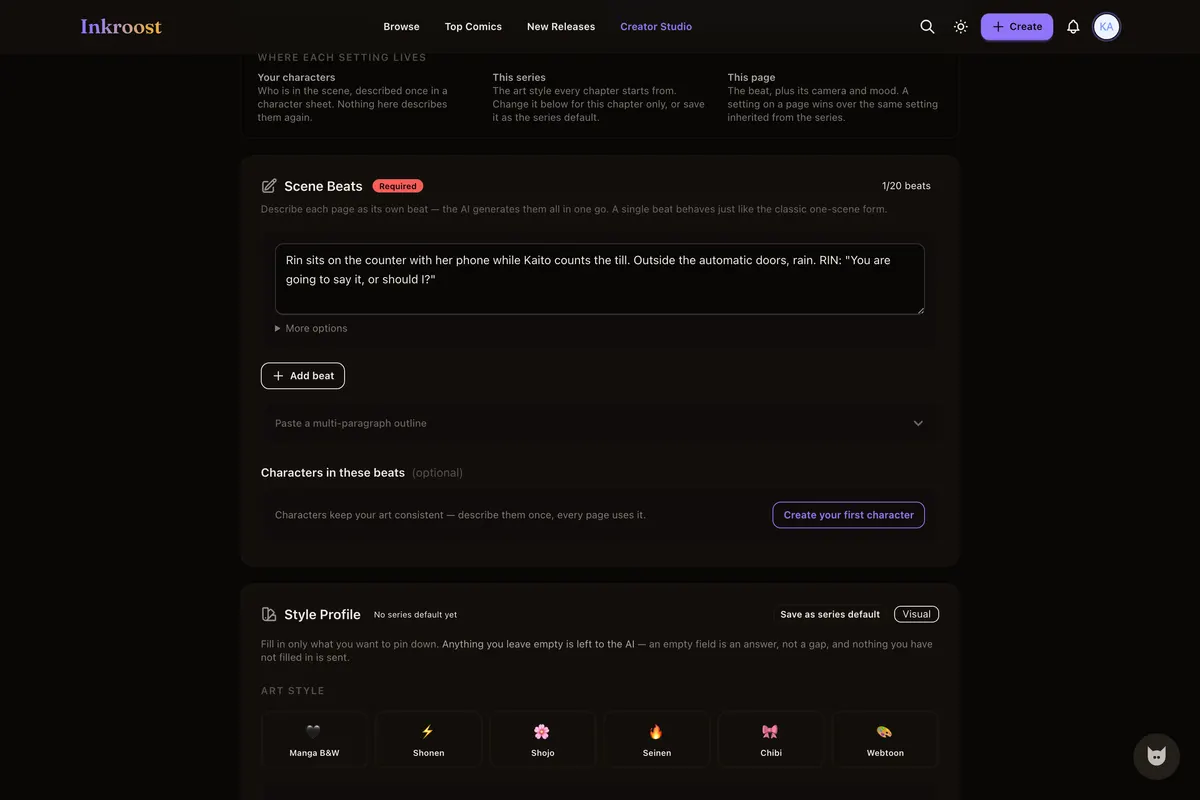
2
Write the chapter as pages
Each beat is a page. Name the characters in it and their sheets are pulled into the drawing without you pasting anything.
-
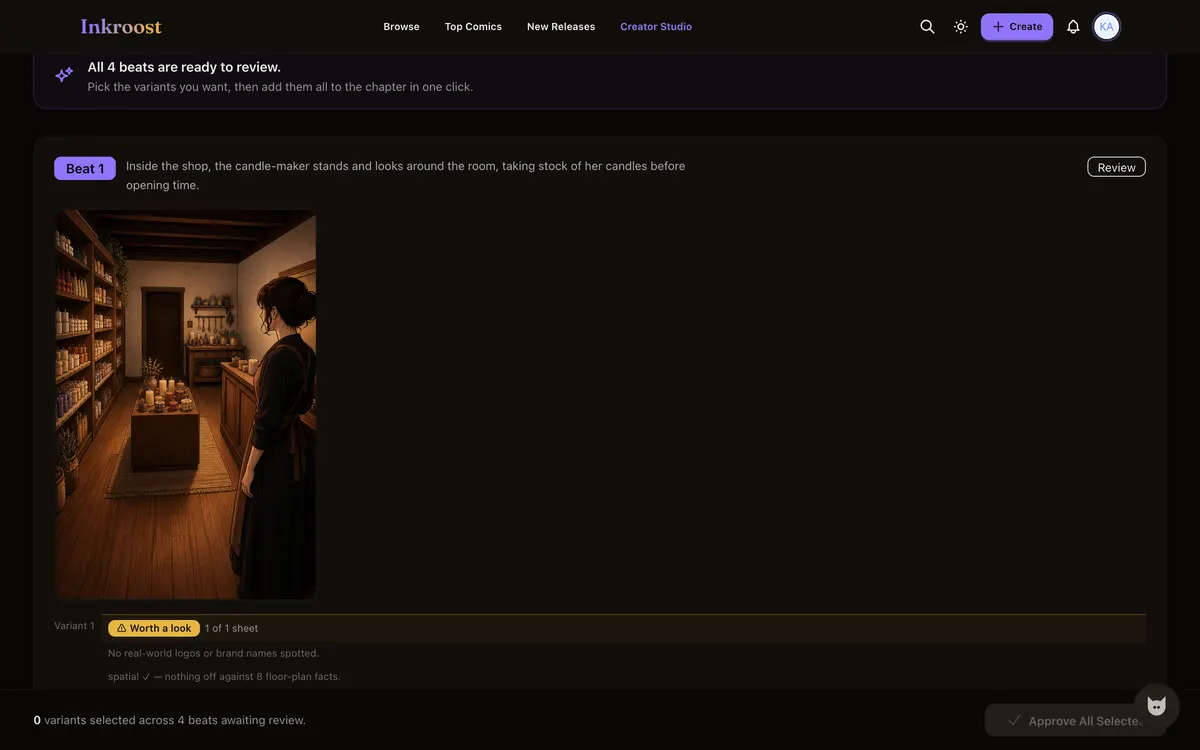
3
Approve the pages you want
Drawn pages wait on a review screen until you say so. Nothing is added to the chapter behind your back.
-
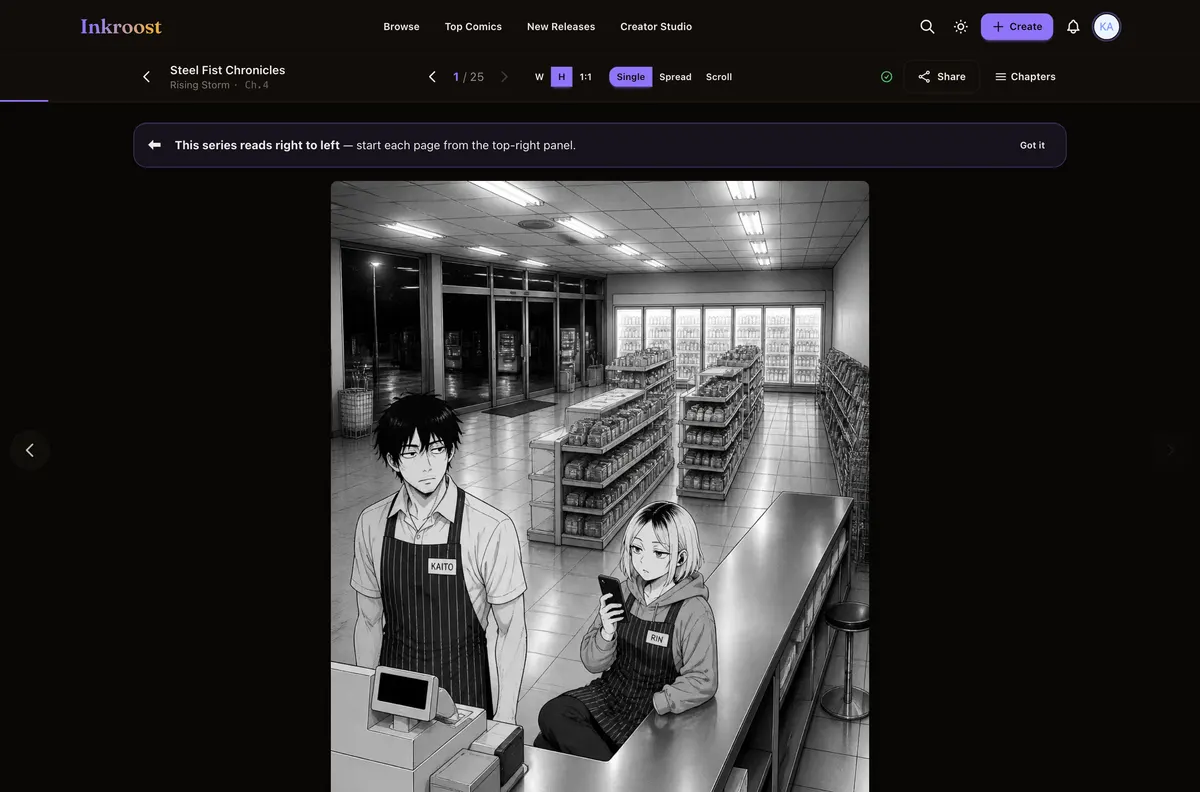
4
Publish it right to left
The chapter goes live in a reader that turns pages the manga way and says so to anyone meeting the format for the first time.
Manga pages published here
Straight out of the catalogue. Tap one to read the chapter it belongs to.
What it costs
One AI-drawn page is 10 credits (about $0.30), so a 20-page chapter comes to about 200 credits (about $5.99). New accounts start with 50 free credits — enough for your first 5 pages. Uploading art you drew yourself costs nothing, and reading is always free. See the full pricing.
How this compares
| Feature | Inkroost | Canva | Clip Studio Paint | WEBTOON Canvas | AI image generators |
|---|---|---|---|---|---|
| Draws a comic page from a written scene | Yes | Partial | No | No | Partial |
| Reference sheets that hold a character across pages | Yes | No | Partial | Not applicable | Partial |
| Publish pages you drew yourself, to readers | Yes | No | No | Yes | No |
| Chapters readers follow, comment on and come back to | Yes | No | No | Yes | No |
| Right-to-left manga reading built in | Yes | No | Yes | No | No |
| Vertical-scroll episodes | Yes | Partial | Yes | Yes | No |
| Free to read, no reader account needed to start | Yes | Not applicable | Not applicable | Yes | Not applicable |
Compared on what each product says about itself. “Partial” means it does something close to this, not the same thing. No prices are compared here — theirs change and ours are on the pricing page.
Walk through it first
Real screens, real costs, and what to do when a page comes back wrong.
Style presets for every kind of comic, and always your own style
Fifteen style presets, from superhero comics to manga to European albums, each with a real sample page. Pick one for the whole series or for one run of pages, or skip them and describe your own style. Inky asks which look you want before it draws anything.
Read the walkthrough →Take your comic to an e-reader
Any series or chapter you make on Inkroost can leave as an ebook. One page per screen, edge to edge, with a cover and a contents list, ready for most e-readers and reading apps.
Read the walkthrough →Questions people ask
Is it free to make manga online here?
Making an account, building a series and publishing chapters are free. Credits are only spent on AI drawing, so a manga you draw yourself can be published without paying anything.
Is right-to-left reading really supported, or bolted on?
It is a property of the series, honoured by the reader for every visitor. Pages advance right to left, spreads pair the way they should, and a first-time reader is told where to start.
Can I upload a manga I drew somewhere else?
Yes, and it costs nothing. Upload the pages, put them in order, publish. Work drawn elsewhere and brought here is not treated differently from work made here.
How do readers find my manga?
Published chapters appear in the catalogue and in the sitemap, each with its own address. Readers can follow the series and are told when a chapter lands.
Shonen, shojo or seinen: which look should I pick?
Pick by the story. Shonen is built for action, with screentone and impact frames; Shojo for feeling, with soft tones and emotional close-ups; Seinen for weight, with fine detail, cross-hatching and cinematic panels. Each is a starting point you can reword, or skip all three and describe your own.
What does a chapter cost in dollars?
One AI-drawn page costs 10 credits (about $0.30), so a 20-page chapter comes to 200 credits (about $5.99). Uploading art you drew yourself costs nothing. Credit packs start at $5.99.
More ways in
Your first page is free.
Free to join, no card needed, and your 50 welcome credits draw your first 5 AI pages. If you would rather draw them yourself, upload them instead — both are first-class here.
Start your manga