Creator Studio is one room now
Create opens the studio from everywhere, the tools that used to be their own pages are panels of the series you are working on, and the links you already saved still land in the right place.
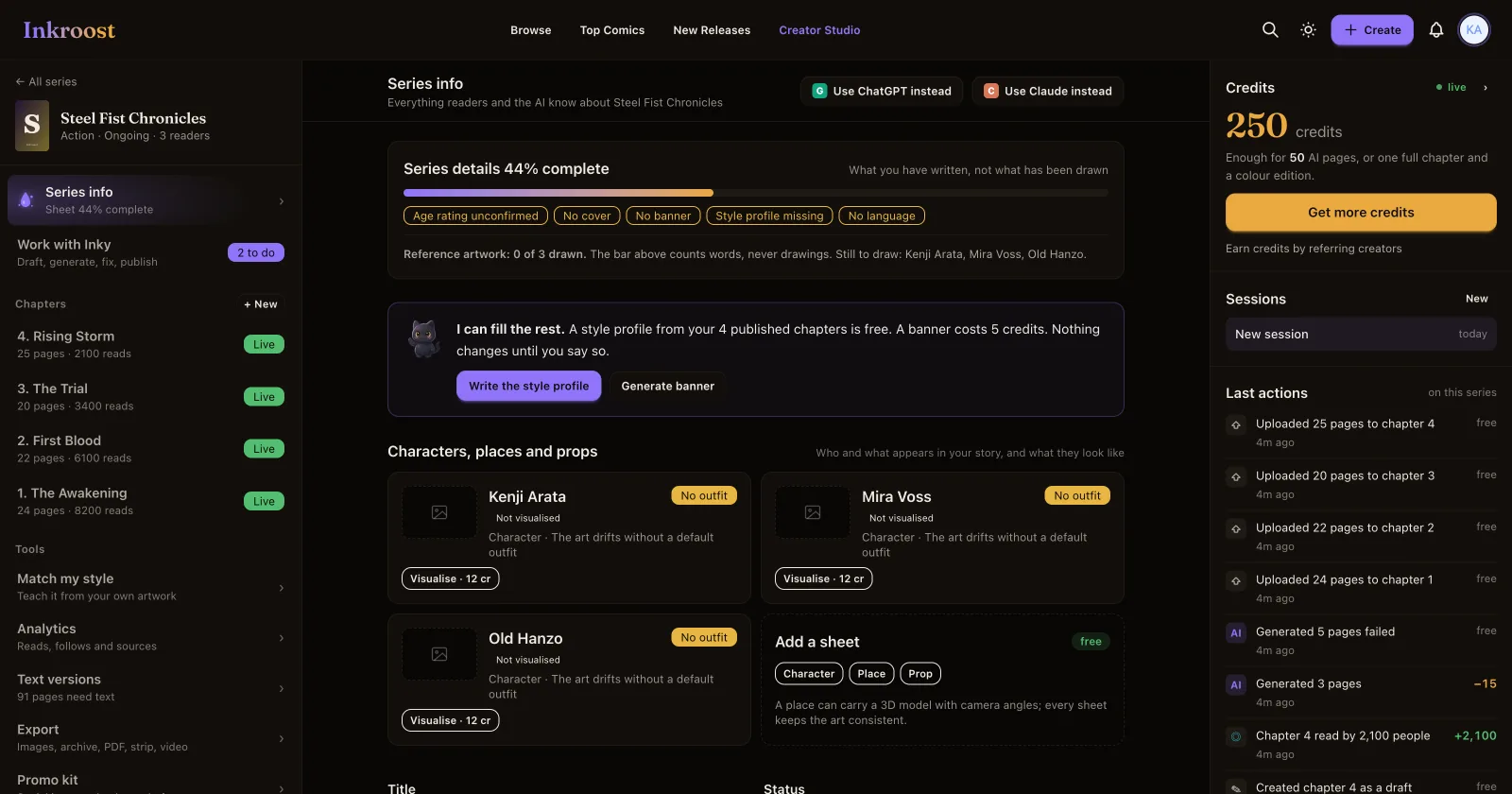
What shipped. The three-panel studio is what Creator Studio means. It is what Create opens, what the Creator Studio link in the menu opens, and what the plus button in the middle of the mobile bar opens. There is no longer a second creator area at a different address, and no chooser standing between you and it.
Why it matters. Until now the studio was somewhere you had to already know about, while the buttons on every page led into the older set of screens. Two ways of doing the same work is one too many — and the older set is where the drift was: a series edited on one page, its chapters on another, its characters on a third, and a separate screen for reviewing pages that the AI had just drawn.
Create is one button with one destination
Pressing Create — in the top bar, in the mobile dock, in the side menu — opens the series workspace. Nothing is written down until you press Create inside it, so you can change your mind about everything on the way in.
The two doors are gone as a question you have to answer first. Drawing and generating were never two products: you start a series, and then you upload pages or describe them. If you arrive from one of the "AI comic generator" pages, the series is simply set to AI-assisted for you, and you can change it like any other field.
The tools are panels, not pages
Everything that used to be its own address is now a panel of the series you have open, reached from the rail on the left:
| It used to be | It is now |
|---|---|
| Creator dashboard, then Edit series | The series panel, with the rail beside it |
| A separate chapter page | The chapter panel |
| A separate character page | The sheet panels — characters, places and props |
| The review screen after a generation | Review, inside the chapter that is being drawn |
| Analytics, Earn credits, Text versions, Exports, Integrations, Promo kit | Panels, from the rail or from the tool cards on your dashboard |
The dashboard still carries all of them as cards, so nothing is more than one click away if you are not in a series yet.
Your old links still work
A bookmark, an old notification, an email from last month, an address an AI assistant gave you: they all still open, and they land on the panel that replaced the page they were minted for. A link to a chapter opens that chapter; a link to a series opens that series. You do not need to go and find anything again.
Two addresses are genuinely gone rather than moved: the "just make me a chapter" page that asked which series you meant, and the chooser that asked whether you wanted to draw or generate. Both questions are answered inside the workspace now.
What has not changed
Your series, chapters, pages, characters, credits and published work are all exactly where they were — this changed which screen you work on, not what is on it. Prices are unchanged and still shown beside the button that spends them. Published chapters stayed published.
How to use it. Press Create, or open Creator Studio from the menu. If you had the studio bookmarked at its old side address, that link now brings you to the same place.