Style match teaches Inkroost your style from your own pages
Pick a few of your uploaded pages and Inkroost drafts a style profile and sheets from them, then draws the next page in your style.
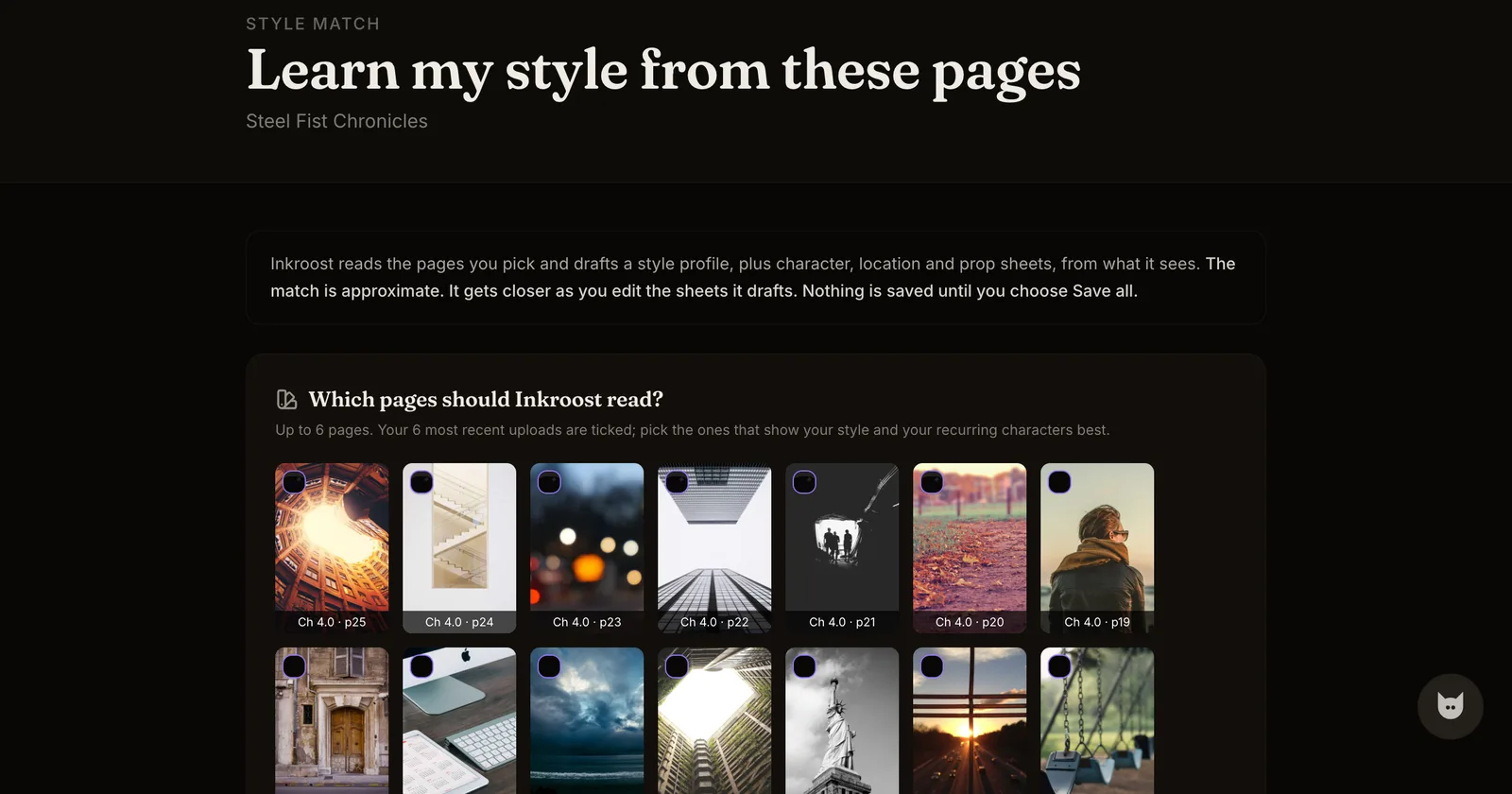
What shipped. If you draw your own pages, the AI used to know nothing about them. Style match changes that. You pick up to six of your uploaded pages, Inkroost reads them and drafts a style profile plus character, location and prop sheets from what it sees. You edit the drafts, save what you agree with, and from then on Draw the next page in my style uses your own pages as references.
Why it matters. The most common reason creators who draw by hand never touch AI generation is that the result does not look like their work. Style match starts from your work instead of from a blank prompt.
What to expect. The match is approximate and gets closer as you edit the sheets it drafts. One read costs a few credits and is refunded in full if it fails. Nothing is saved until you choose Save all, and every generated page still comes back for review before it lands in a chapter.
How to use it.
- Open a series with uploaded pages. On the chapter editor, or on the series page, choose Learn my style from these pages.
- Tick the pages that show your style and your recurring characters best. Your most recent uploads are ticked for you.
- Read the drafted profile and sheets, correct anything that is off, and save.
- Back in the chapter editor, choose Draw the next page in my style and describe the scene.