Promote your series at the top of Inkroost
Buy impressions with credits and your series takes the Promoted card at the top of the home page and the pages most readers arrive on, in every language. You see every impression it gets.
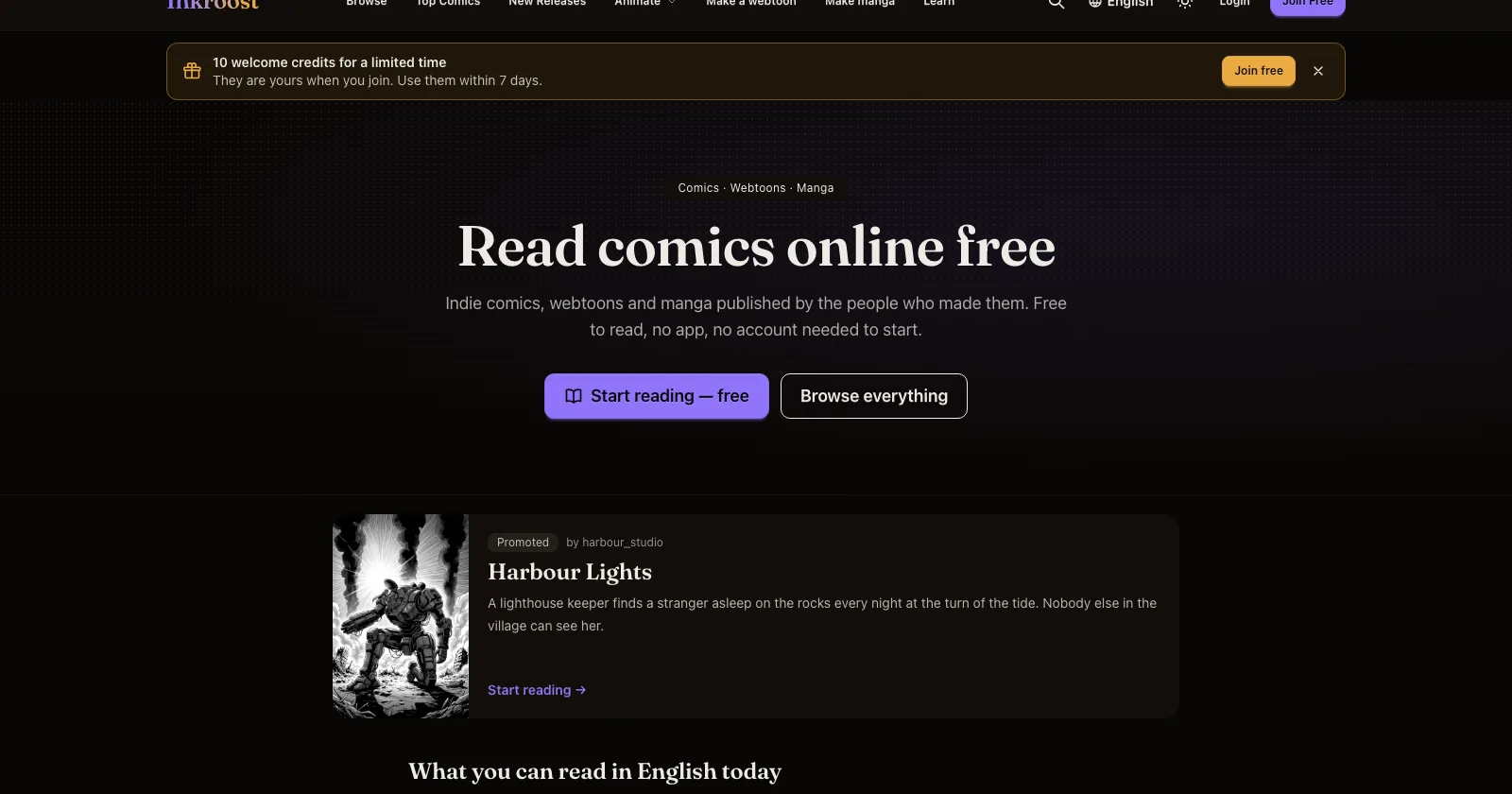
What shipped. You can now promote a series. Open it in your Creator Studio and choose Promote this series in the left column. Pick how many impressions you want, pay with credits, and your series takes the Promoted card at the top of the Inkroost home page and of the pages most visitors arrive on from search, in every language.
How it works. There are three sizes: 500 impressions for 100 credits, 1,500 for 250 and 4,000 for 600. Before you pay you see an estimate of how many days it will take, worked out from how many people saw the Promoted card over the last two weeks. When several promotions run at once they take turns, and the one furthest from its goal goes first. Your promotion stops by itself when it has every impression you bought.
What counts as an impression. One person who had at least half of your card on their screen for a full second, in a real browser. Each person counts once a day, however often they reload. Search engine robots, link previews, known bots, you and the Inkroost team are never counted.
Your numbers. See the numbers shows the impressions delivered, clicks, chapters read and new follows, by day, by page and by language.
Stop any time. If you stop a promotion early, the credits for the impressions not shown yet go back to your balance. If your series goes offline or back to review while it is being promoted, the promotion pauses and picks up again when the series is back.
Who can promote. Your own published series with a cover. Mature series cannot be promoted, because the Promoted card is shown to everyone, signed-out visitors included.