Your credits, your plan and every way to top up, on one page
Pricing and buying credits are one page now. Signed in, it opens with where you stand — what you have, what resets and when — and then the plans and packs.
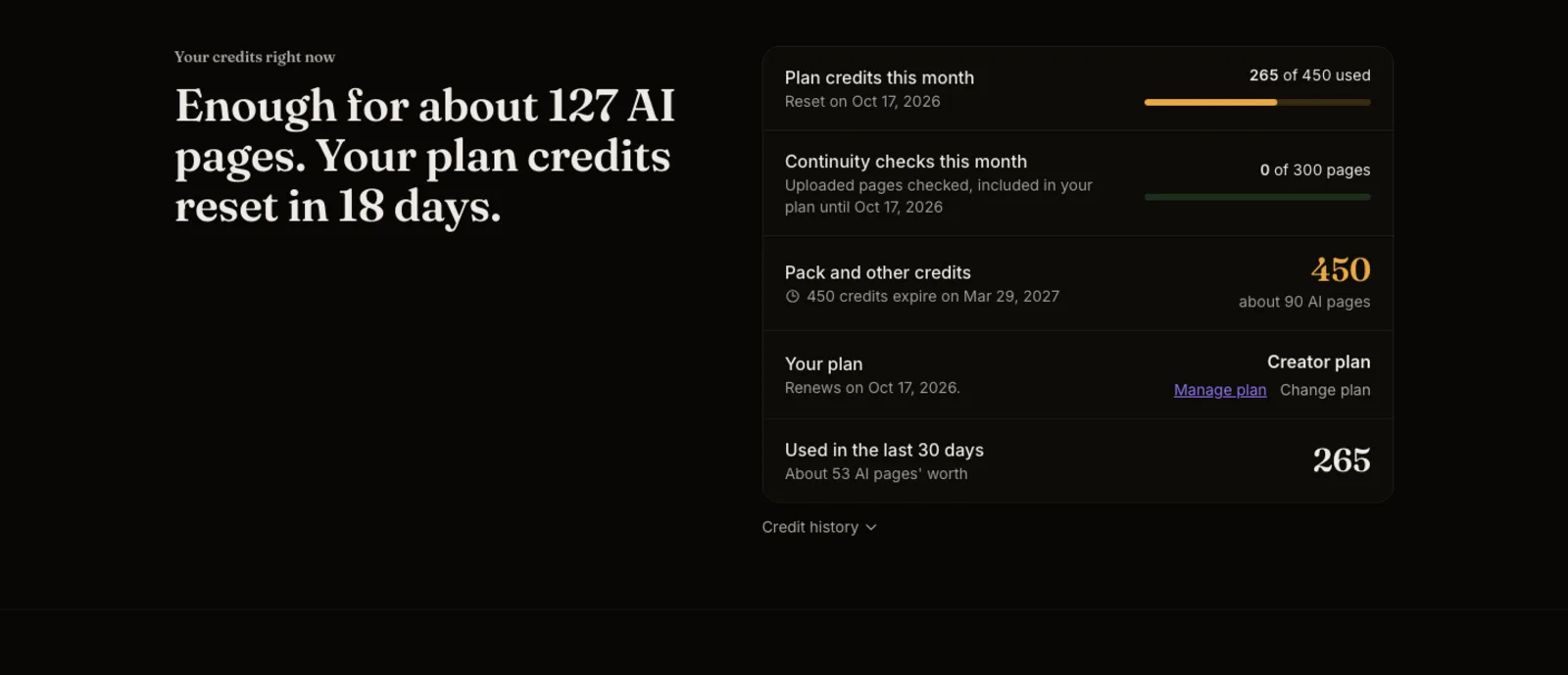
What shipped. Pricing and Buy credits used to be two pages. Now there is one, and every "get more credits" link in the studio leads to it. When you are signed in, it opens with Your credits right now: one sentence that says where you stand, like "Enough for about 40 AI pages. Your plan credits reset in 18 days.", and a short list underneath — plan credits used this month, continuity checks used, other credits and when they expire, your plan, and what you used in the last 30 days.
Why it matters. Before, you had to add things up yourself: how much you had left, which credits run out first, when a plan resets. Now the page says it in plain words, before anything else.
How to use it. Open Pricing from the menu, or tap your credit balance. The plans come first, with Creator marked Recommended; the packs follow under Just need a top-up?. On a plan, Manage plan changes or cancels it, and Credit history at the top shows every credit that came in or went out.