Pose a mannequin to show Pro Studio the exact pose
In Pro Studio's new-pose window you can now move a grey 3D mannequin into the pose and camera angle you want, and we draw your character in exactly that pose.
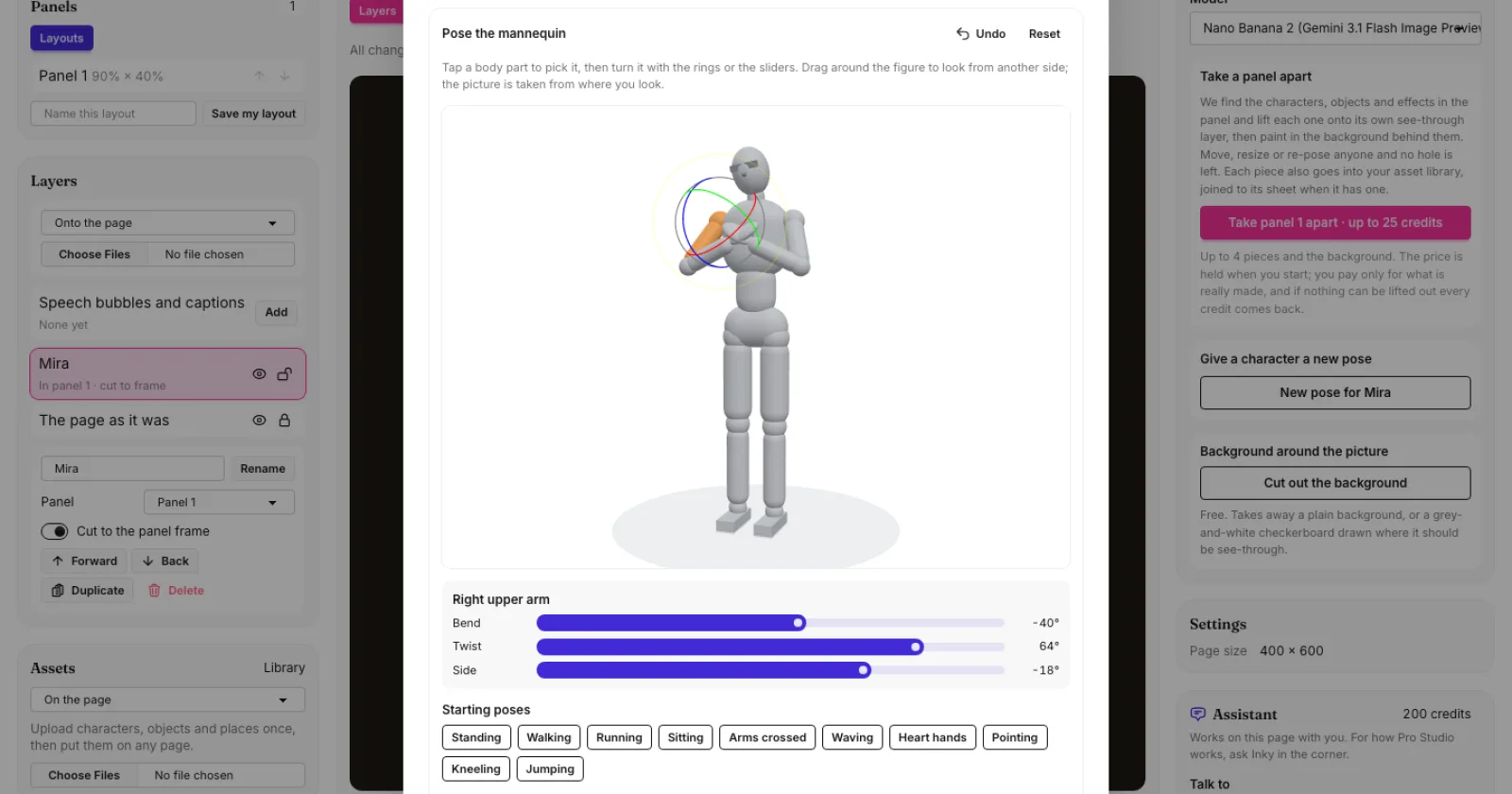
What's new. When you give a character a new pose in Pro Studio, you can now press Pose a mannequin instead of picking from the list. A plain grey figure opens in a small 3D view. Tap an arm, a leg, the head or the hips to pick it, then turn it with the rings around it or with the Bend, Twist and Side sliders. Drag around the figure to look at it from any side. The picture is taken from where you are looking, so the camera angle carries over too.
Quick starts. Begin from standing, walking, running, sitting, arms crossed, waving, heart hands, pointing, kneeling or jumping, and adjust from there. Undo takes back your last move and Reset stands the figure up again.
Only the pose carries over. We draw your character from their own picture and sheet, with the same face, hair, outfit and colours. The mannequin only shows where the arms, hands, legs and head go. You can still add words such as "smiling, winking" for what a mannequin cannot show.
Good to know. It costs the same as any other new pose. Like the rest of Pro Studio, it works on a computer or a tablet.