Give Inky the whole story
Prepare a full story in one conversation, review one drawing plan, and give your comic more expressive panel layouts.
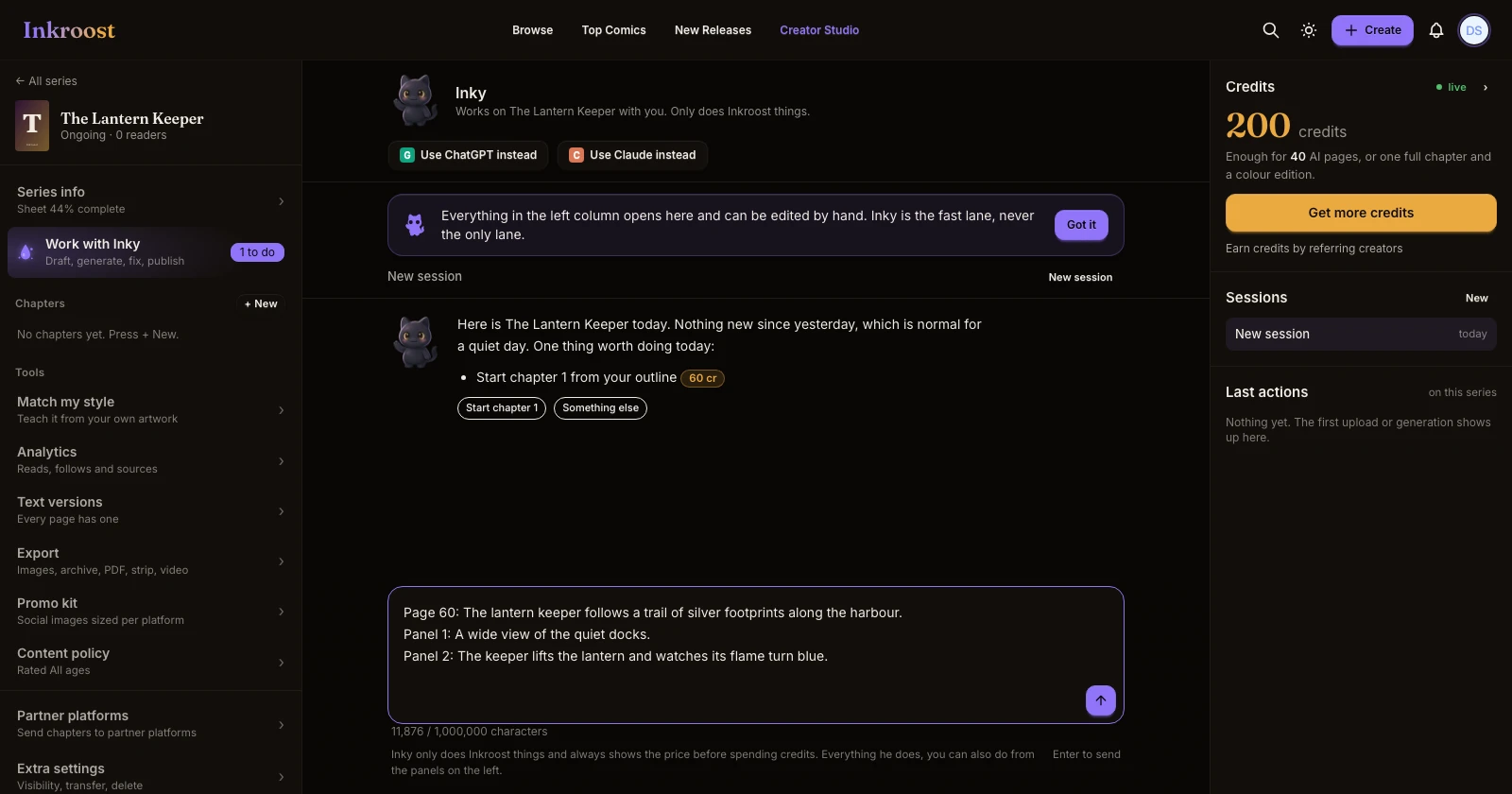
What shipped. Inky accepts scripts up to 1,000,000 characters and prepares long stories in saved background steps. Once your style and drawing choices are set, it can prepare up to 1,000 pages across chapters in one plan. You review the pages and price, then choose Run once. You no longer need to ask for each group of eight pages.
More expressive comics. Inky now gets direction for angled and irregular panels, inset panels, borderless scenes, and characters or objects reaching across panel borders where the scene benefits. Layouts should serve the story and its reading direction, including the spacing of a vertical webtoon. When you request a panel count, that count takes priority. When you leave it open, Inky chooses pacing for the scene instead of routinely shrinking it to the fewest panels.
Plans you can actually review. Inky checks that a drawing plan exists before telling you it is on screen. If preparation fails, it explains that there is no plan ready to run.
How to use it. Open Work with Inky, paste your story, and include your chapter structure, style, lettering preferences, and any panel counts you want. Let Inky finish preparing the plan, expand it to review the page details, and choose Run when you are ready to draw.