Follow a creator, and hear from them between chapters
Following is now one follow per creator, covering all their series. Creators can post short updates to their followers, our team reads each one first, and email is only for readers who ask for it.
What changed. Until now there were two kinds of follow: the Follow button on a series page followed that one series, and the one on a profile followed the person. They did different things, and most readers did not know there were two.
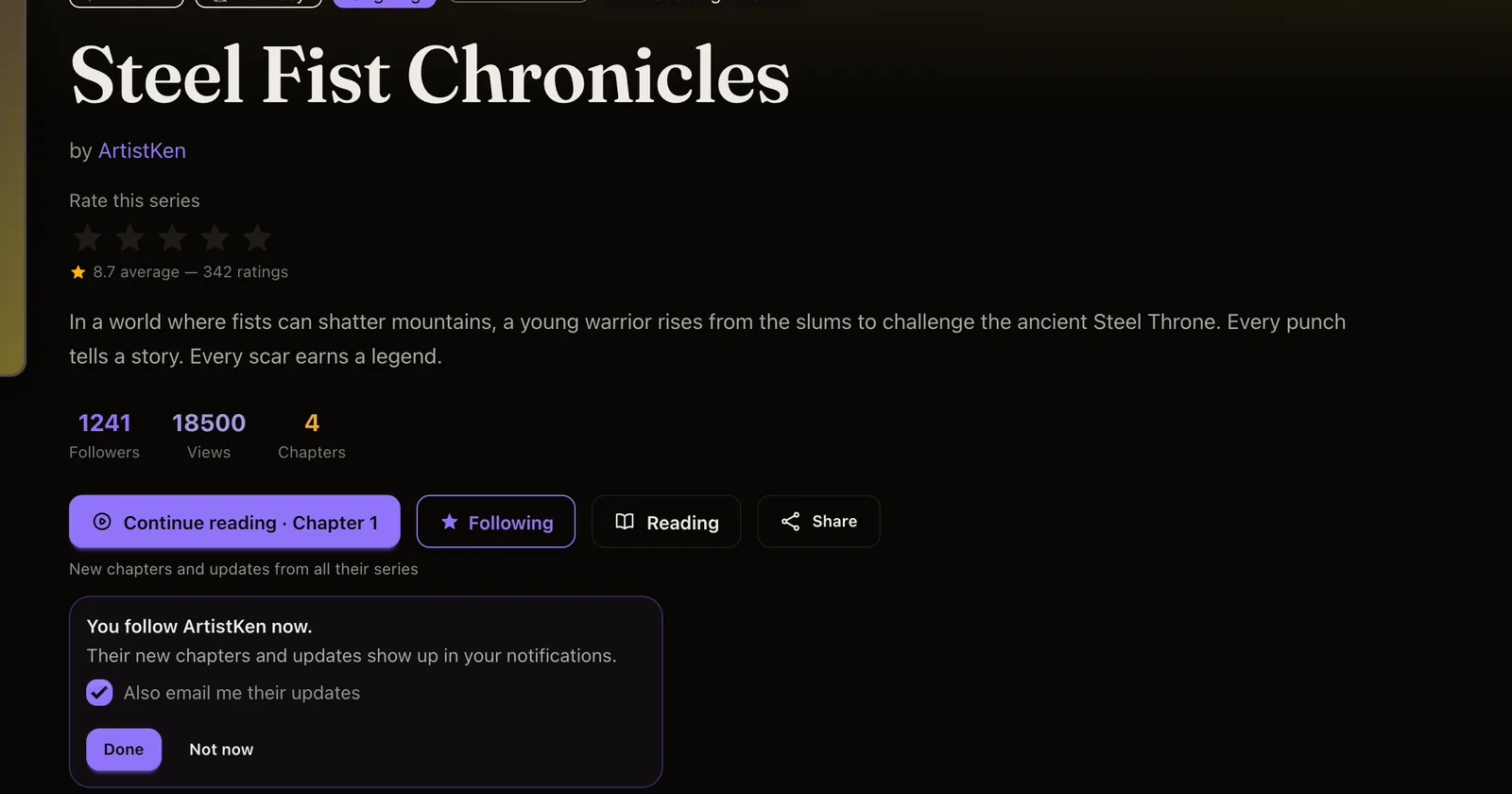
Now there is one. Pressing Follow on a series page or on a profile follows the creator: you get their new chapters from every series they have, and every series they start later. The button says who you are following, for example Follow ken, and under it on the series page: New chapters and updates from all their series.
If you already followed a series, you now follow its creator. Nothing you followed was taken away: the series are still there, and their follower counts on series pages stay as they were. You will find a one-time note about this in your notifications. If you only wanted one series, unfollowing the creator stops all of it; there is no per-series switch yet.
Updates from creators
Creators can now write a short update to everyone who follows them: a chapter on its way, a short break, a thank-you. It is text only, up to 1,000 characters, with room for one of their own series or chapters attached as a card.
- Every update is read by a person on the Inkroost team before it goes out, usually within a day. An update that needs a change goes back to the creator with the reason, and they can edit it and send it again.
- Links can only point to inkroost.com. Other links are taken out before review, and the creator sees which ones. Email addresses and phone numbers are not allowed.
- A creator can post one update a week and up to four a month.
- When publishing a chapter, a creator can add a short note to followers (up to 280 characters). It goes through the same review and does not count toward the limit. The chapter alert never waits for it: if the note is still being read when the chapter goes live, the alert goes out on time and the note follows once it is approved.
Approved updates appear on the creator's profile under Updates, in their followers' notifications, and as a phone alert in the Inkroost app for iPhone. The latest one also sits next to the Follow button, so you can see what a creator has been saying before you follow.
To write one, creators open Creator Studio → Updates. It shows how many followers will see it and how many updates are left this week and month.
Email only if you ask
Creator updates are not emailed by default. When you follow someone, you can tick Also email me their updates for that creator. The email comes from Inkroost (shown as "creator via Inkroost"), and every one has a link to stop emails from that creator and another to stop all creator emails. You can change both at any time under Settings → Notifications → Creators you follow, along with the switches for updates in your notifications and on your phone.