A continuity check for the pages you upload
Pages you drew somewhere else can now be checked page by page for things that changed when they should not have, and anything it finds can be fixed as a suggestion you keep or throw away.
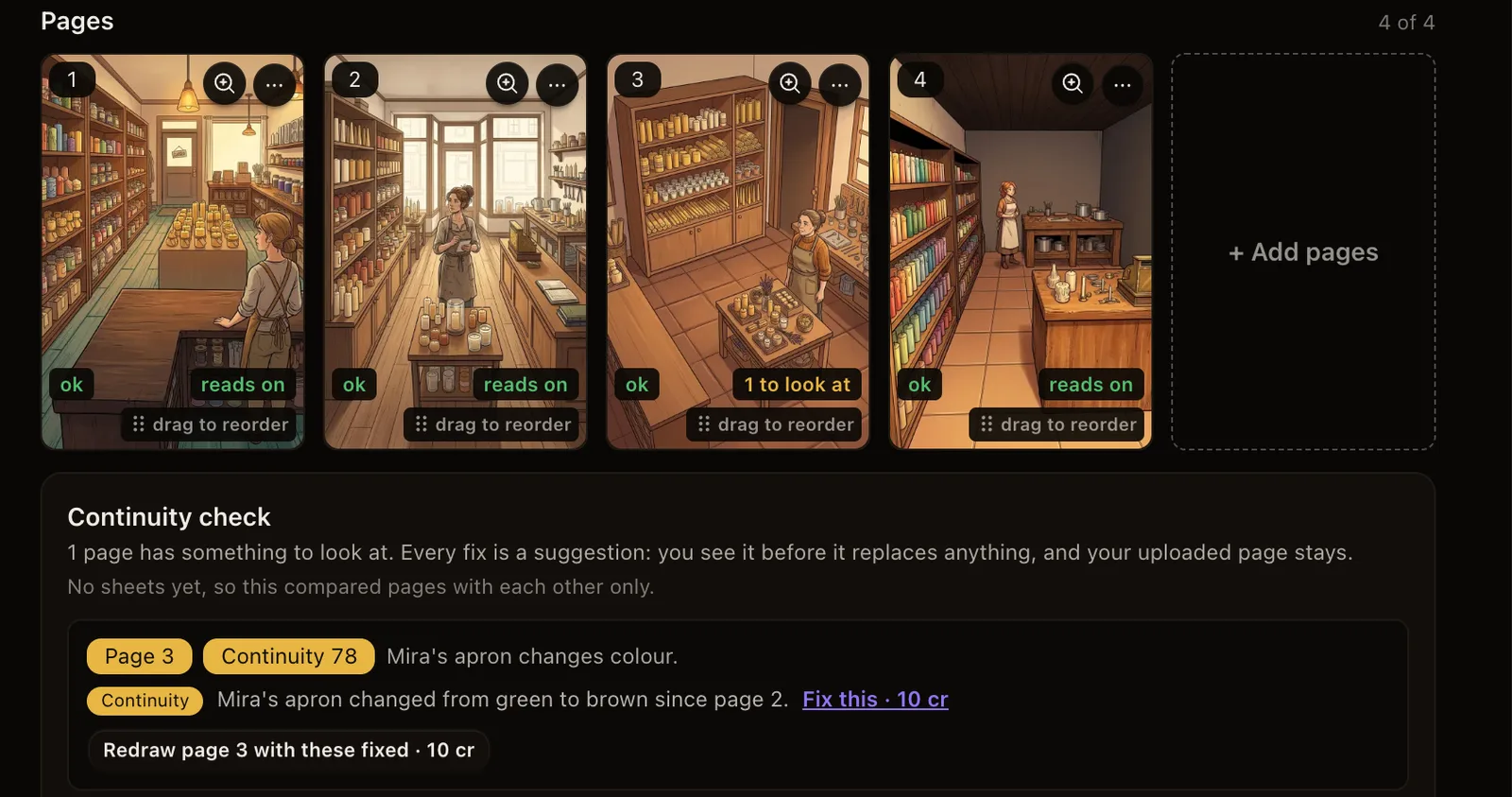
What shipped. Open a chapter you uploaded, and under Do more with this chapter there is now Check continuity. Every uploaded page is read against the pages before it, including the last few pages of the previous chapter, the characters, places and objects you have written down, and each page's text. Each page gets a mark: reads on, or how many things there are to look at. Underneath, the check says what it found and where, like "Mira's apron changed from green to brown since page 2."
Why it matters. Pages drawn here have been checked like this for a while. Pages you made somewhere else had no one looking at them, and a scarf that changes colour between two panels is exactly what readers notice first. Several of you asked for this.
How to use it. The price is shown before anything runs: 1 credit per page, and a page the check cannot read is refunded. Next to each finding, Fix this opens the area fixer with the spot already circled and the fix written in, and Redraw page … with these fixed redraws the whole page with the findings corrected. Either costs the same as drawing a page. Every fix is a suggestion: you see it before it replaces anything, and your uploaded page stays in the page menu so you can put it back. You can also fix any area of any uploaded page now, not only where the check found something. If your series is marked hand-drawn, keeping a fix marks it Mixed, and the studio tells you before you pay.
Also new: credits have a date. Credits you buy from today are valid for 6 months. Welcome credits are valid for 7 days, and other free credits, like coupons and rewards, for 3 months. Credits you already had today never expire. The credits panel in the studio shows what expires and when, and the credits that expire soonest are always used first.