How to start your first comic series on Inkroost
From one sentence to a drawn first page in a few minutes. Describe your story, pick a look, press Draw my first page, then build the rest of the chapter from there.
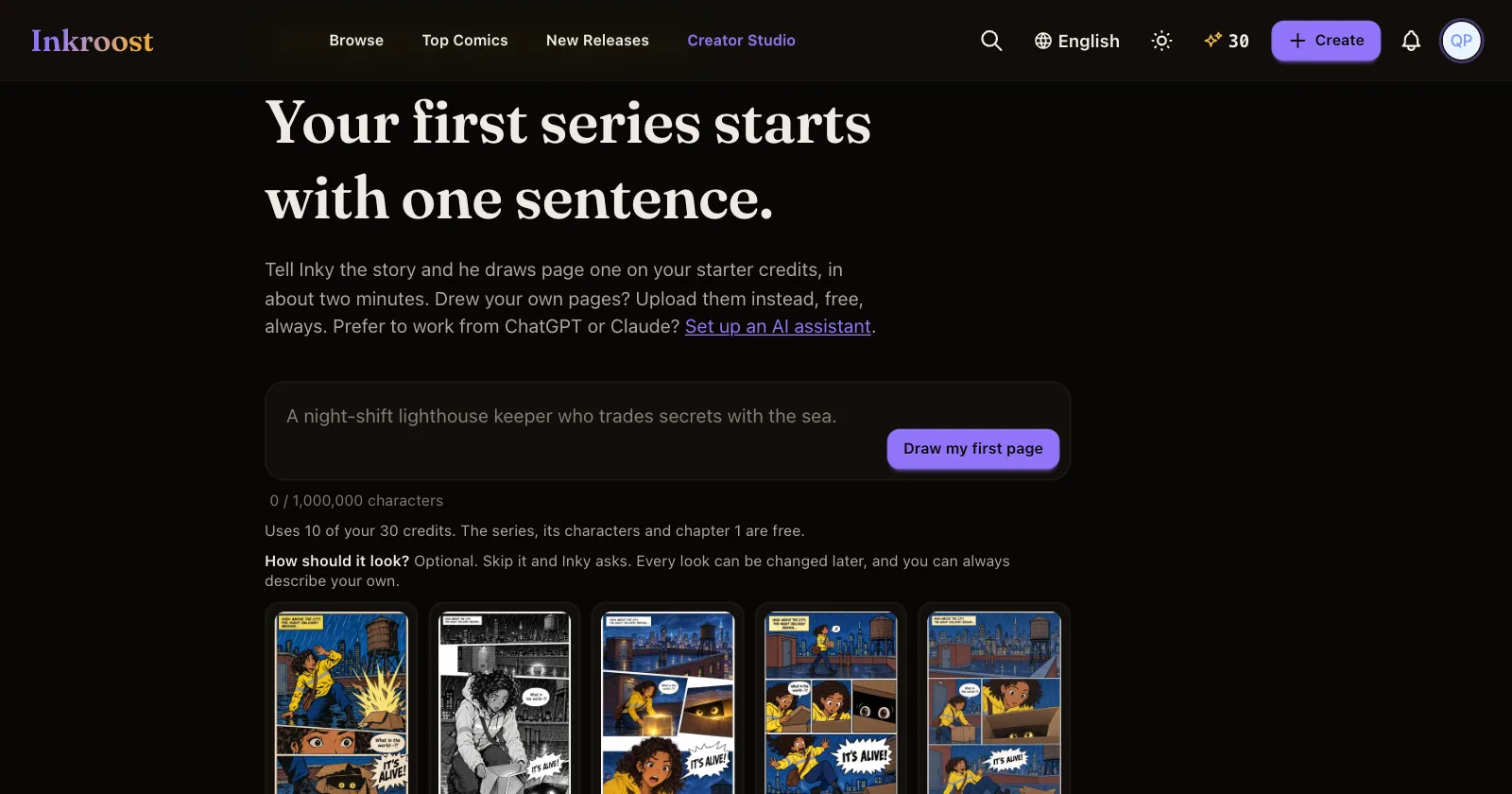
You do not need a script, a character list or drawing skills to start. You need one sentence about your story. This guide walks through the first ten minutes.
1. Open Create
Press Create in the top menu. It opens Work with Inky, the studio's assistant. If you already have series, they are listed under Continue your series, so check you are not starting a twin by accident.
2. Describe the story
Type your idea in the box. One sentence is enough ("a night-shift lighthouse keeper who trades secrets with the sea"), but you can also paste a pitch or a whole script. If your script marks pages or panels ("Page 1", "Panel 1"), Inky follows it page by page and draws only page one first.
3. Pick a look
Choose one of the style cards, such as manga, webtoon or American comic. Every look can be changed later. If you are not sure, choose You pick what fits the story and Inky decides from your idea.
4. Press Draw my first page
Inky writes the series title and synopsis, your main characters and chapter 1, then draws page one. You watch each part appear. The line under the box shows exactly what it costs before you press anything, and new accounts start with free credits that cover the first page.
5. Look at page one, then keep going
Keep the page if you like it. If something is off, tell Inky what to change. From here:
- Draw the cover and Draw the banner give your series a front door. Your first cover and banner are free.
- Ask Inky for the next pages, or open the chapter and draw them one by one.
- Open Series info to edit the title, synopsis or characters yourself.
Prefer to talk it through first?
Rather talk it through with Inky first opens a normal conversation: plan the story, the cast and the first chapter together before anything is drawn. And if you drew your pages yourself, upload them instead. Uploading your own pages is always free.
Next steps
Once page one looks right, make sure your characters stay the same on every page. That is the next guide.