Posters for every chapter, in three looks
Approved chapters now also get still posters for Instagram, TikTok, Pinterest, X, Facebook, Reddit and YouTube, made from your own pages.
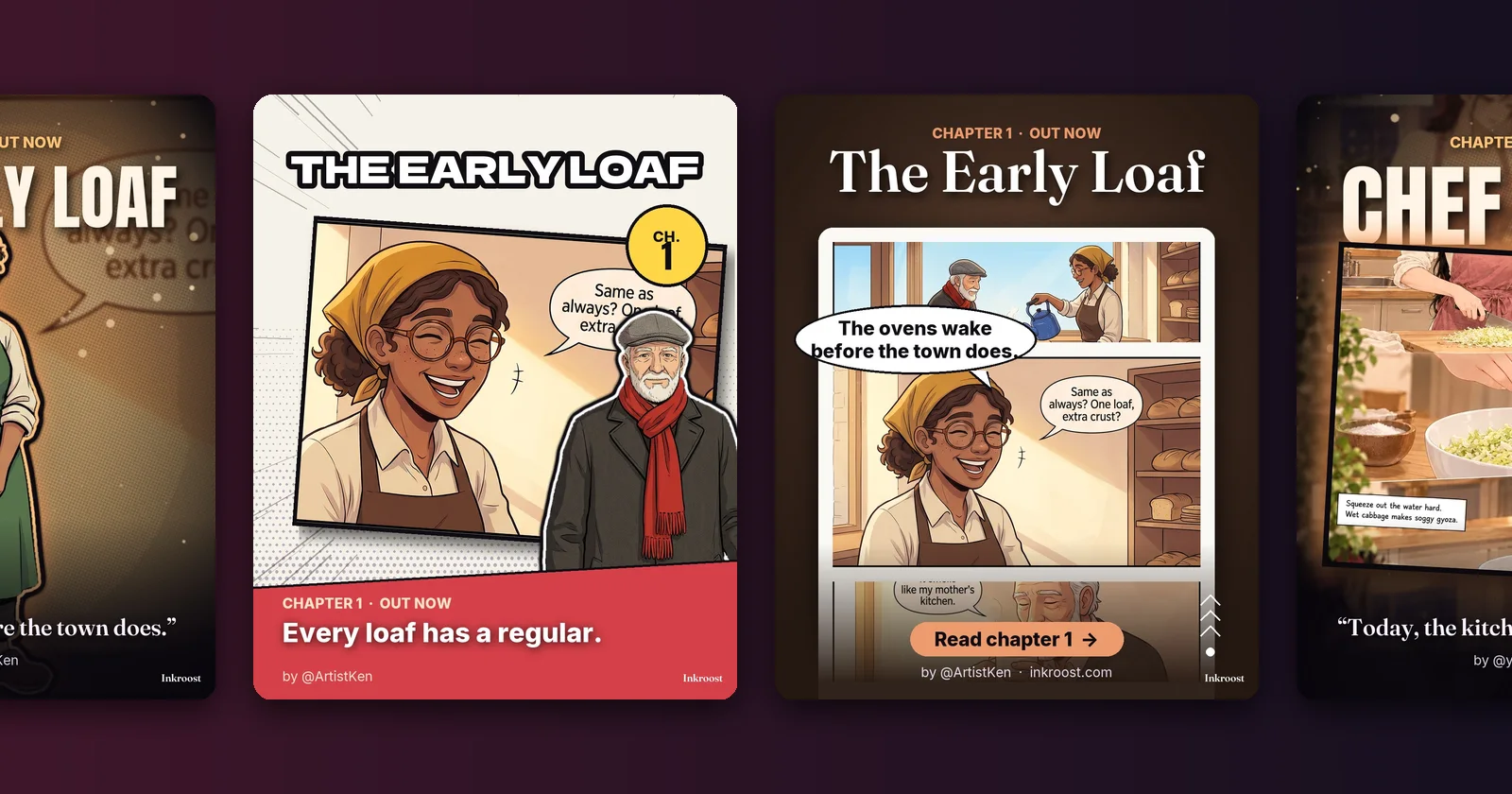
What changed. Next to its trailers, every approved chapter now gets posters made from its own pages. They come in three looks:
- Cinematic poster: your strongest panel graded like a film poster, with your series title in large type
- Manga cover: a volume cover with screentone, a slanted panel and a colour band carrying a line from the chapter
- Webtoon scroll: your best panel in a reading strip, with a line from the chapter in a speech balloon and a Read chapter button
Each look comes in six sizes: an Instagram post, a square, a story or TikTok cover, an X or Facebook card, a Pinterest pin and a YouTube thumbnail.
When one of your characters stands alone on a plain character sheet, they step out of the poster. Otherwise the panel goes in a bold frame instead, so a busy sheet never leaves odd edges.
Credited to you. Every poster credits you by your @username, never your name.
Same rules as the trailers. Find them in your studio under Promo kit. They are free, and only you can see them. On a phone, Share sends a poster straight to the app you choose; on a computer, Download saves it. Remove watermark covers the trailers and the posters together, for 10 credits per chapter.
No need to wait on the page. When your trailers and posters are ready, the bell at the top of Inkroost tells you, and the notification opens them. It tells you too if they could not be made.