Every way to make a comic, on the first screen
The homepage now has four tabs on the idea box (Create with AI, Upload your work, Animate and Pro Studio), and a full row of stories to read sits right under it.
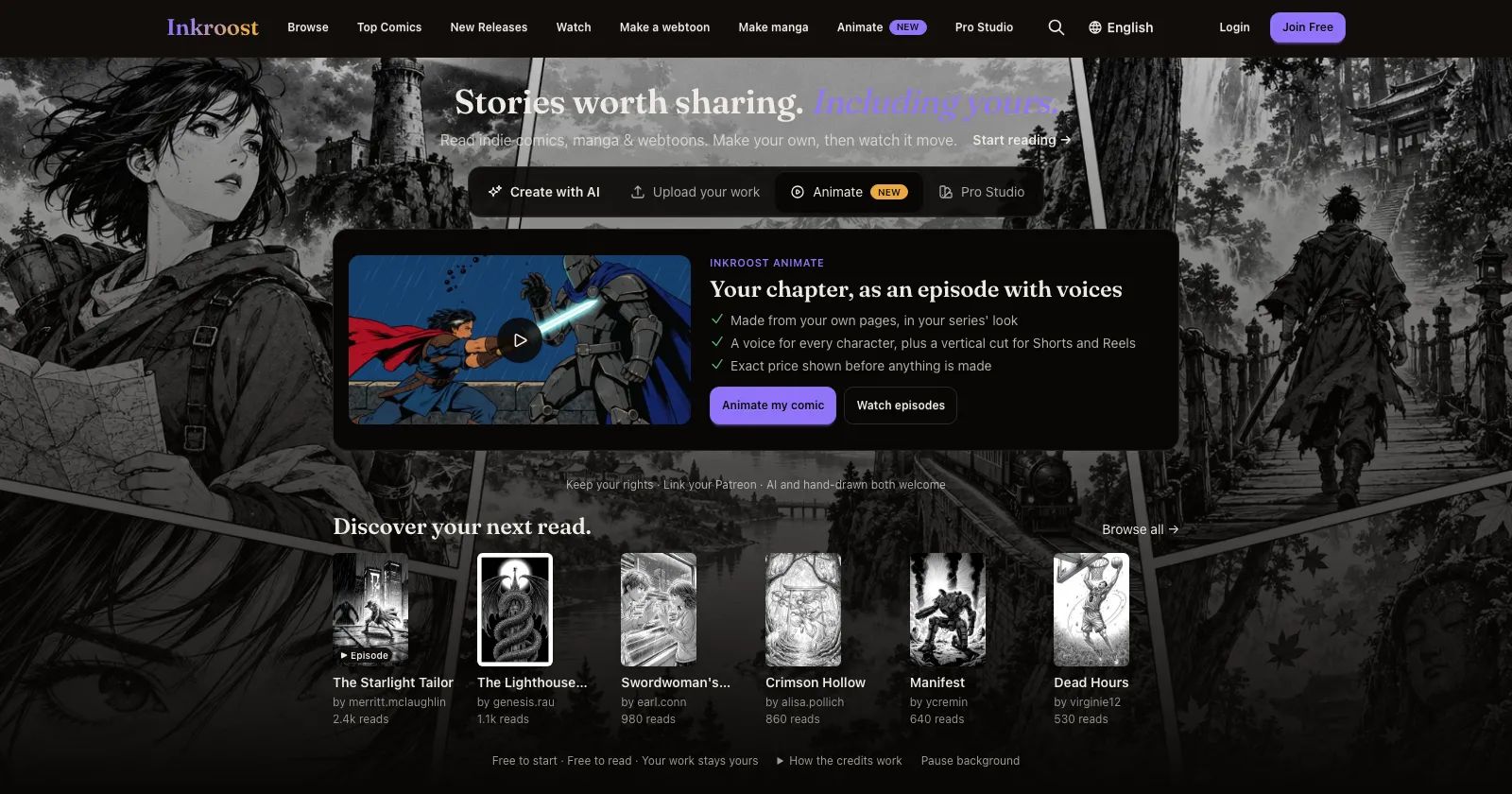
What changed. The box on the homepage where you type your idea now has four tabs:
- Create with AI is open when you arrive, with an example idea ready to change. Press Create my story as before.
- Upload your work is for pages you drew yourself. Publishing them is free.
- Animate turns a chapter you made into an episode with a voice for every character, plus a vertical version for Shorts and Reels. You see the exact price before anything is made. Watch episodes shows ones other creators have shared.
- Pro Studio lets you build a page panel by panel: lay out the frames, pick the AI model for each panel and mix in your own drawings. You pay per drawing and don't need a plan.
Switching tabs doesn't move anything else on the page. If you sign up from the Animate or Pro Studio tab, you land in that studio once your account is ready, not on a blank form.
More to read, sooner. Discover your next read. has moved up, so a whole row of covers is on the first screen, on a phone too. A cover shows how many times the series has been read once it passes 50 reads. A small ▶ Episode mark means the series has an animated episode you can watch.
One line for creators. Under the box: you keep your rights, you can link your Patreon, and AI and hand-drawn comics are both welcome.
A thin New strip at the top of the homepage now points to the latest addition. Close it with × and it stays closed.