Reviewing a drawn page takes the whole screen
The drawings Inkroost makes for you now open in a full-screen workspace: big artwork, every version a click apart, and keeping one moves you straight to the next page waiting.
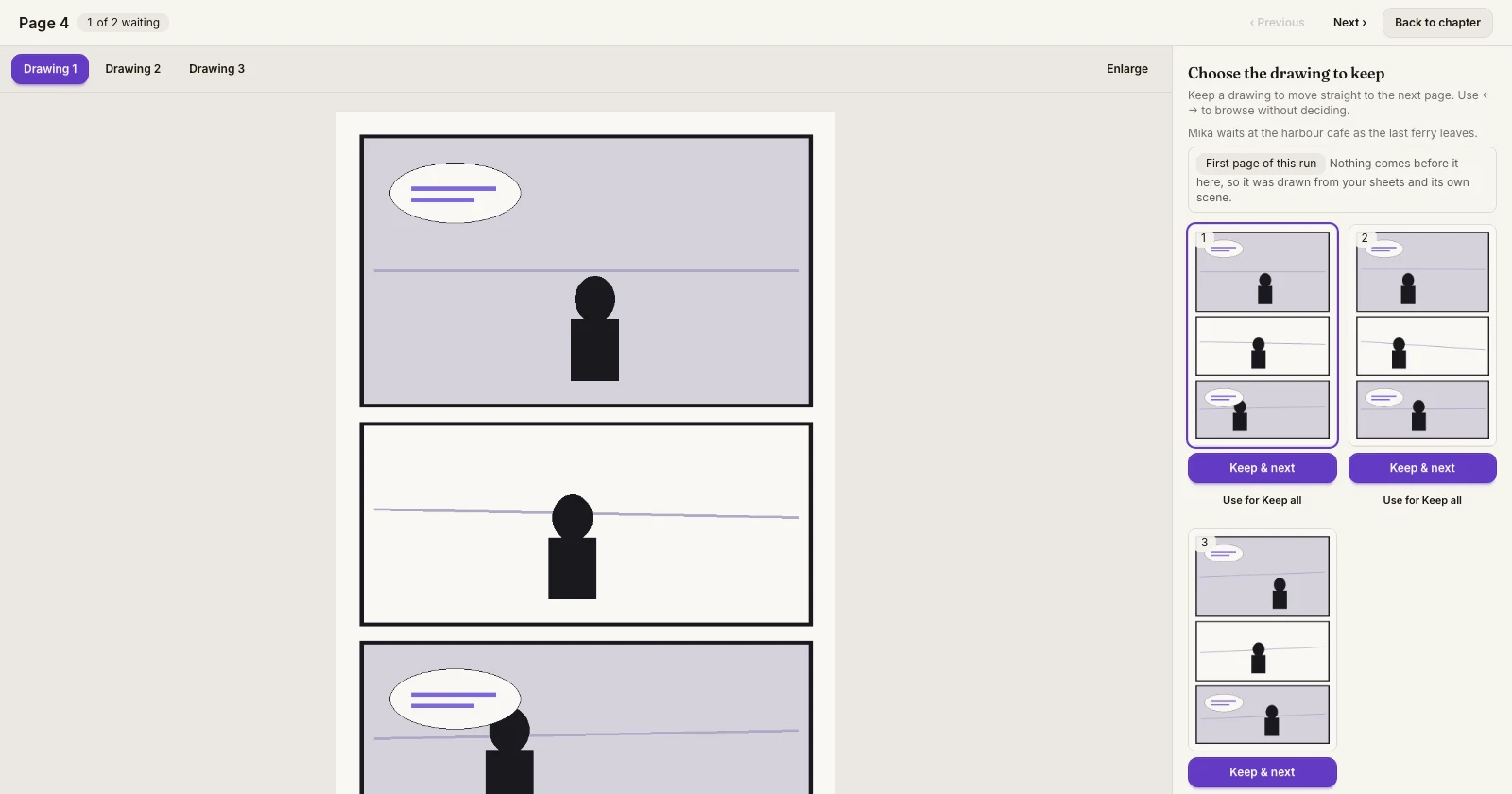
What shipped. Page review is its own full-screen workspace now. Open a page that is waiting for you and the artwork fills the screen, with the drawings Inkroost made listed along the top — Drawing 1, Drawing 2, Drawing 3 — so you can flick between them and see the difference at full size instead of squinting at thumbnails.
Why it matters. Choosing between versions is a looking job. It was being done in a strip at the bottom of the chapter panel, at a size where two drawings of the same scene are hard to tell apart, which is exactly when a page gets kept that you would not have chosen.
Moving through the queue. When more than one page is waiting, the header counts them — 1 of 2 waiting — and Previous and Next walk the queue. The left and right arrow keys do the same thing, and Esc takes you back to the chapter. Keeping a drawing or discarding a page moves you straight on to the next one waiting, so a batch of pages is one pass rather than a trip back to the chapter each time.
Everything you had is still there. Enlarge and Fit page switch between filling the width and seeing the whole page, and the workspace remembers which you prefer. The sidebar still carries the scene you asked for, the continuity note about the page before, Use for Keep all, Regenerate and Discard this page with its confirmation. On a phone the main action stays reachable at the bottom instead of scrolling away.
Keeping and discarding are still free, and the drawings you do not keep are still not charged for.