A 3D room for the places your story keeps returning to
A location sheet can now carry a simple 3D room and named camera angles, so the shop, the bedroom or the classroom is drawn from the same layout every time.
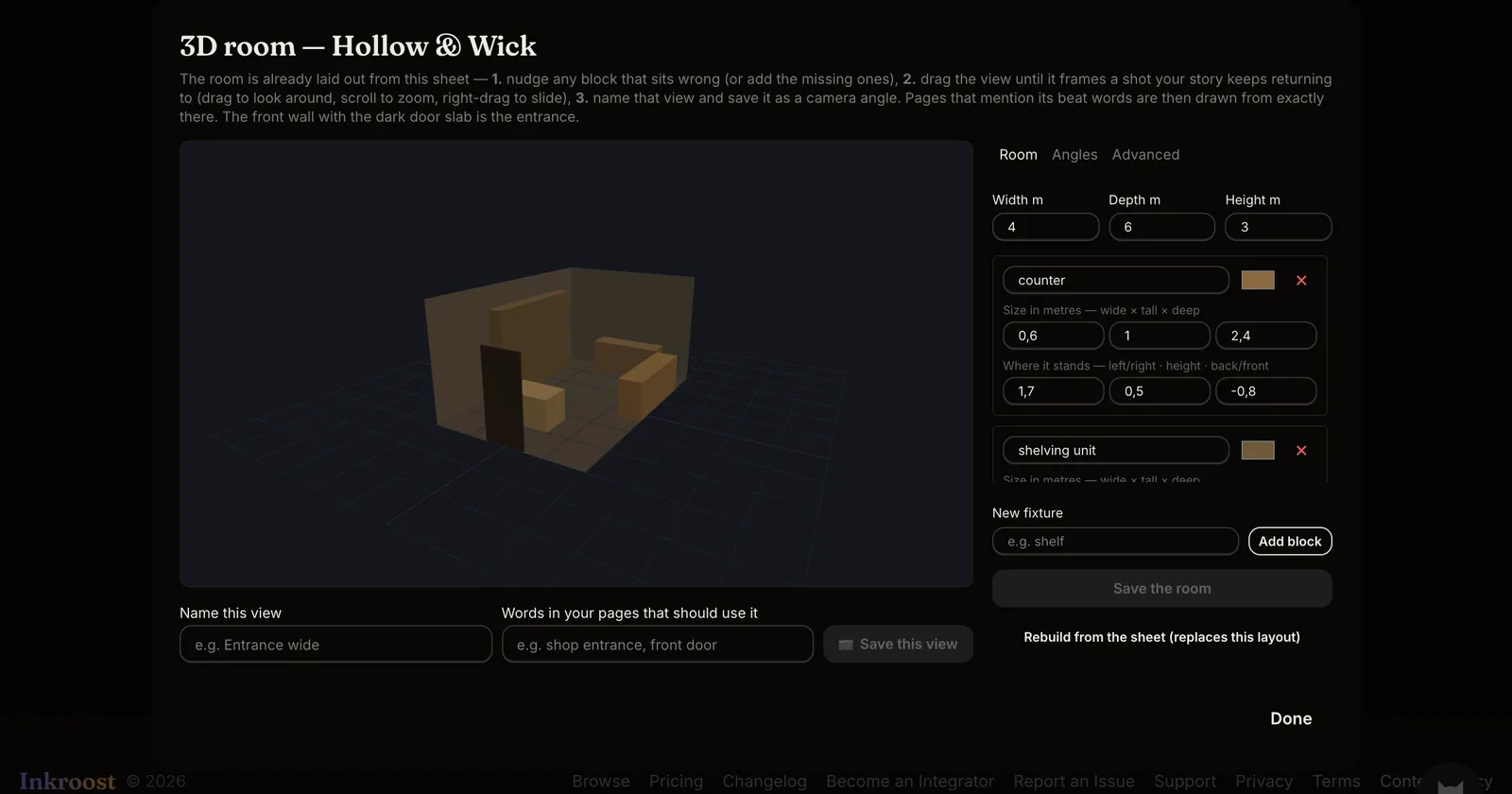
What shipped. Characters had sheets. Props had sheets. Rooms still got redesigned in every establishing shot. A location sheet can now hold a 3D room: the room's size, blocks for its fixtures, and a set of camera angles you name yourself.
How it works.
- Open a location and choose 3D room. The room is built for you from the facts already on the sheet, such as "three aisles" or "counter along the east wall". A sheet with no measurements starts as a plain empty room.
- Nudge any block that sits wrong, add the ones that are missing, then drag the view until it frames a shot your story keeps returning to.
- Name that view and give it the words your pages use, for example "shop entrance, front door". Save it as a camera angle.
From then on, any page whose text mentions those words is drawn from that exact viewpoint, with the room's geometry sent along as a reference. Pages that name no angle still get the room's measurements in words.
Why it matters. Continuity is what makes a place feel real to readers. Once the room is written down, the drawing model stops inventing a new one.
Good to know. The room is a set of simple blocks, not a rendered set. That is deliberate: it is a layout lock, and it takes minutes rather than hours. You can rebuild it from the sheet at any time if you change the facts.