An Amazon KDP bundle, checked against KDP's rules
One download with a full-size cover, a Kindle ebook under your pen name, print files when your art is sharp enough, and a report that checks every file against KDP's published specifications.
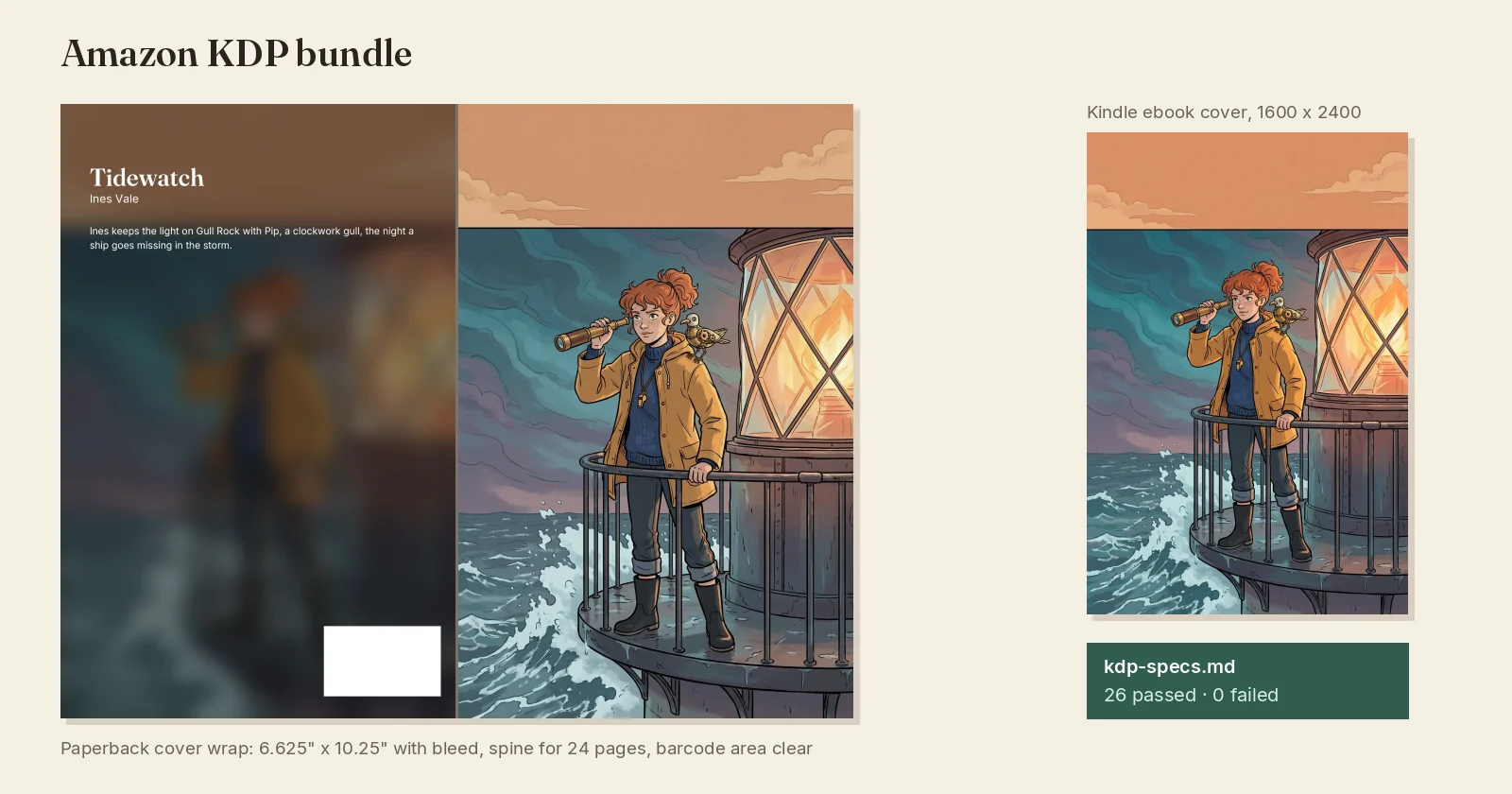
What shipped. The export desk has a new format, Amazon KDP bundle. One zip holds:
- The cover, cut from the full-size picture you uploaded or kept, never the small one the site shows, as a Kindle-ready JPEG plus a lossless master.
- A Kindle fixed-layout ebook, one full-page picture per screen, credited to your pen name and imprint, with your series description.
- A paperback interior and a cover wrap at 6.625" × 10.25" with bleed, on premium colour paper, with the spine sized for your exact page count and the barcode corner left clear.
- kdp-specs.md, a report that measures every file against KDP's published specifications: pixel sizes, effective DPI, page size, page count, spine width. Each line says pass or fail, and how to fix a fail.
Pen name and imprint. Set them in the export options. They are remembered for the series and used in every ebook, PDF and comic archive you export, not only the KDP bundle. Leave them empty and your Inkroost name is used.
Sharpen for print. Print needs 300 DPI, and most drawn pages are about half that at book size. We never quietly enlarge a blurry picture. Without sharpening you get the ebook files, and the report tells you exactly which pages are too small to print. Turn on Sharpen for print and each page and the cover is redrawn at print size by an AI model, checked against your original, and used only if it matches. Lettering you added in Inkroost is put back exactly as you placed it. The price shows before you start. You pay what each picture really cost, and you get credits back for any picture that cannot be used.
Why there is no KPF file. KPF is made only by Amazon's Kindle Create app, on your own computer. You don't need it: KDP accepts the Kindle ebook in this bundle directly.
How to use it. Open Export, pick a series or chapter, choose Amazon KDP bundle, add your pen name, and start the export. Read kdp-specs.md before you upload. Amazon still reviews every book itself.