Your own style first, and style samples that look like real pages
The style section puts your own style side by side with the presets, which stay folded away until you want them. Every preset sample is redrawn as a real page with its own layout, Chibi is now in colour, and black-and-white manga stays black and white.
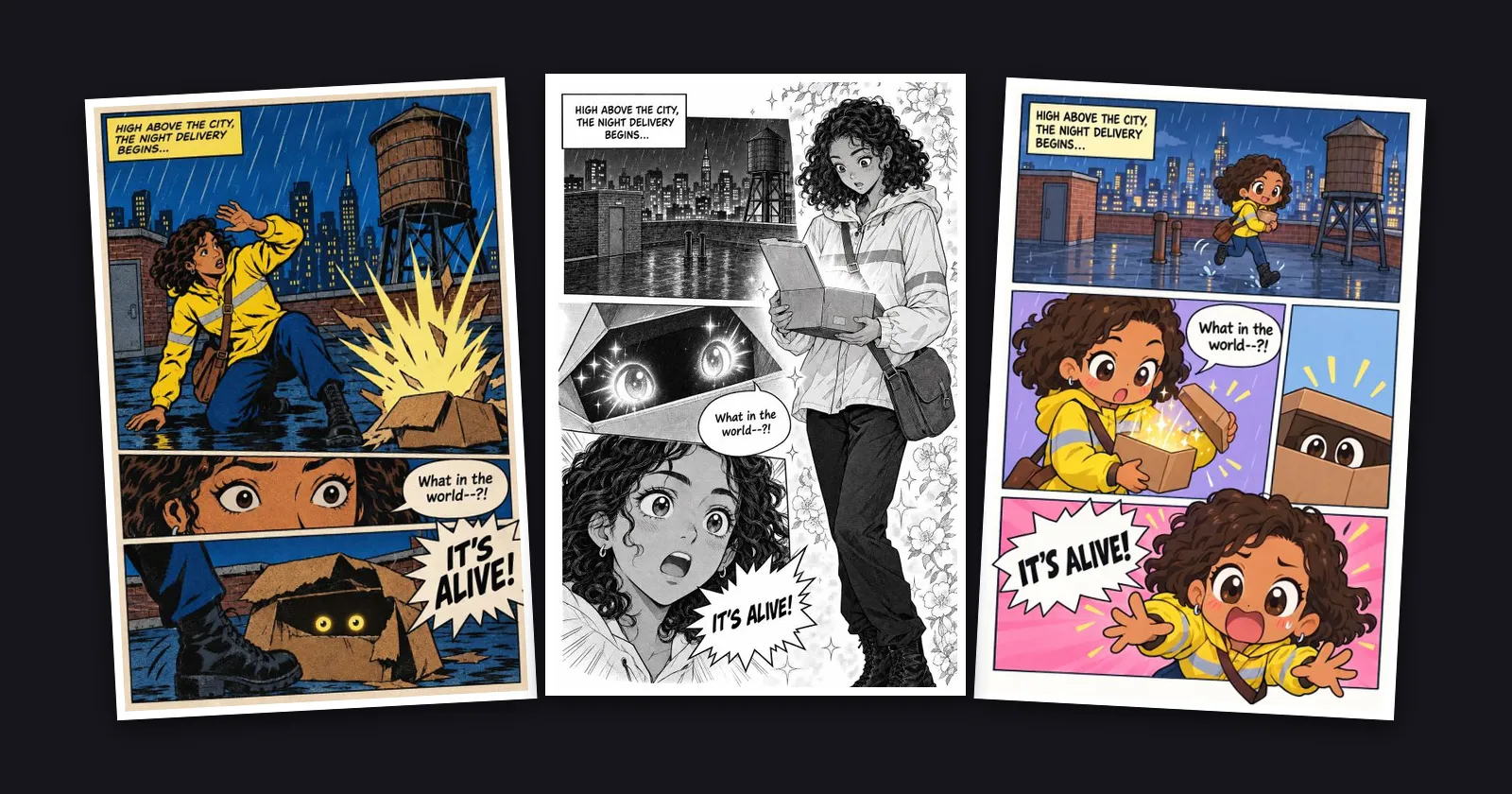
Your style, your way. In Series info and when you draw pages, the style section now shows two choices side by side: Your own style and Start from a preset. The sixteen presets stay folded away until you tap Browse. Once you pick one, it sits on the card with its sample and a Change link, so you no longer scroll past every preset to reach the rest of the form.
Samples that look like real pages. Every preset's sample is redrawn as a real page with a layout of its own: a splash panel with a strip laid across it, a round inset over the grid, a fist bursting out of its frame, floating panels around a full-height character. The picture above shows Superhero, Shojo and Chibi.
Chibi in colour, Seinen as it was. Chibi is now drawn in bright, cheerful colour. Seinen is back to its gritty, realistic look.
Black and white stays black and white. The manga looks now end every drawing with a reminder that the colours on your character sheets, such as a yellow jacket or red hair, are drawn in ink and screentone, so they no longer slip into a black-and-white page. Places from your location sheets keep their layout and landmarks, and how much detail they get now follows the look of the page.