creation
Fewer dead ends in the studio
Run out of credits mid-chapter? Buy a pack in one click and land back on the same page. A page refused for what it shows now comes with a changed scene you can draw. And the idea you typed before signing up starts drawing by itself.
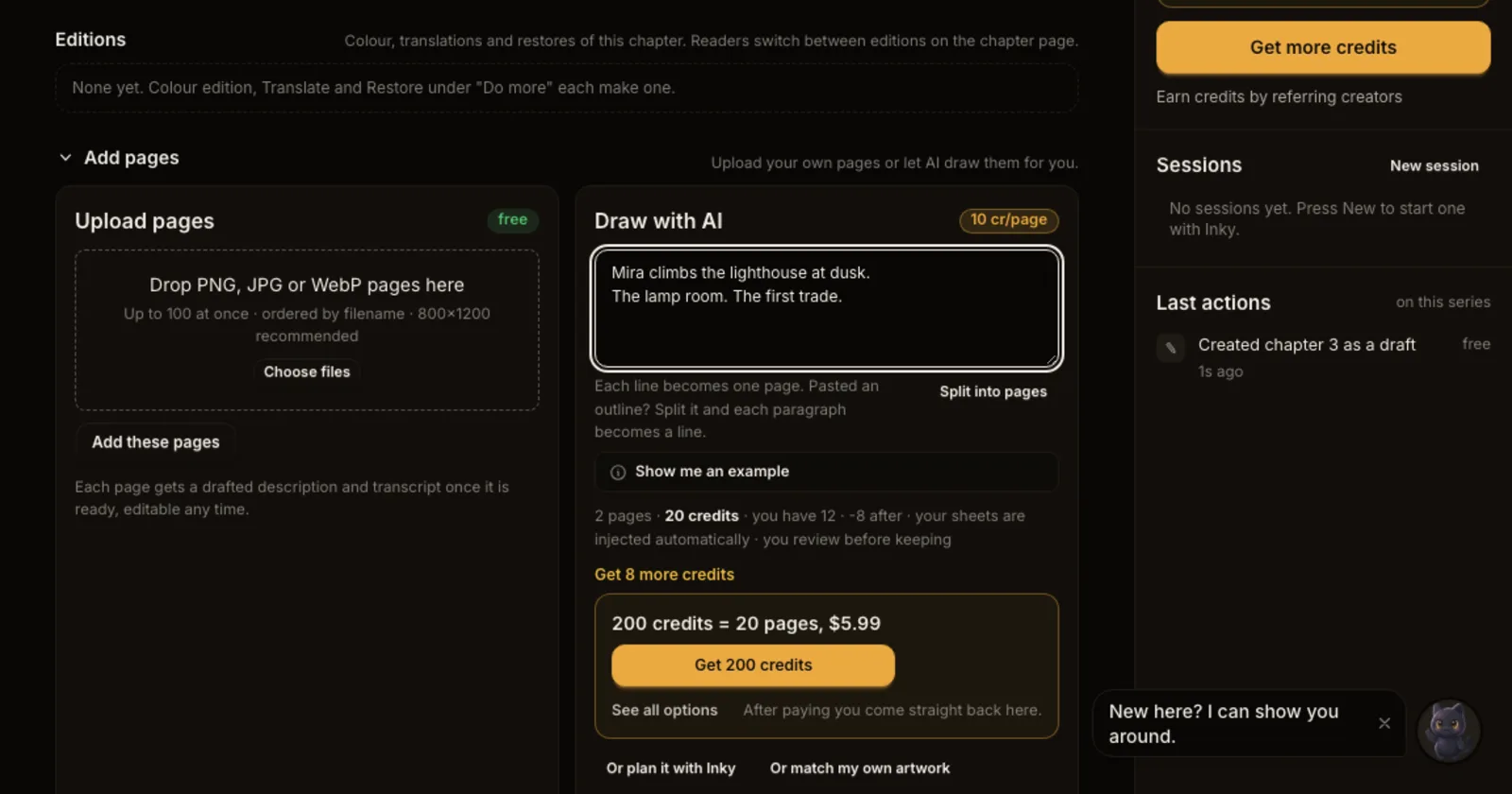
What shipped. Three moments that used to stop a story now carry it forward.
- Out of credits, back in one click. When a drawing needs more credits than you have, Draw with AI shows the smallest pack that covers it, such as "200 credits = 20 pages", and Get 200 credits takes you straight to checkout. After paying, Continue your story brings you back to the exact chapter you were on. If you draw a lot every month, the Credits panel shows the monthly plan that fits your pace first.
- A changed scene instead of a refusal. If the drawing service turns a page down because of what it shows, the page now offers Try a changed scene. Inky rewrites the scene so it keeps the story beat and changes what the page shows. Edit it as you like, then press Draw this scene. Nothing is drawn until you say so, and the refused attempt was already refunded.
- Your idea draws itself. If you typed a story into the idea box before signing up, Inky now starts drawing page one from it the moment you arrive in the studio. No extra click.
Also new for readers. At the end of every chapter, readers now find Make your own, with the same idea box, ready in the series' look.
Why it matters. Most stories stopped at one of these three spots: a balance that ran out halfway, a page that could not be drawn, or a blank studio after signing up. Each one now has a next step on the same screen.