Ask Inky from anywhere in the studio, and take a quick tour
A small Inky bubble now sits in the corner of the Creator Studio. Ask how anything works and he answers about the page you have open, for free. New here? Inky shows you around in a minute.
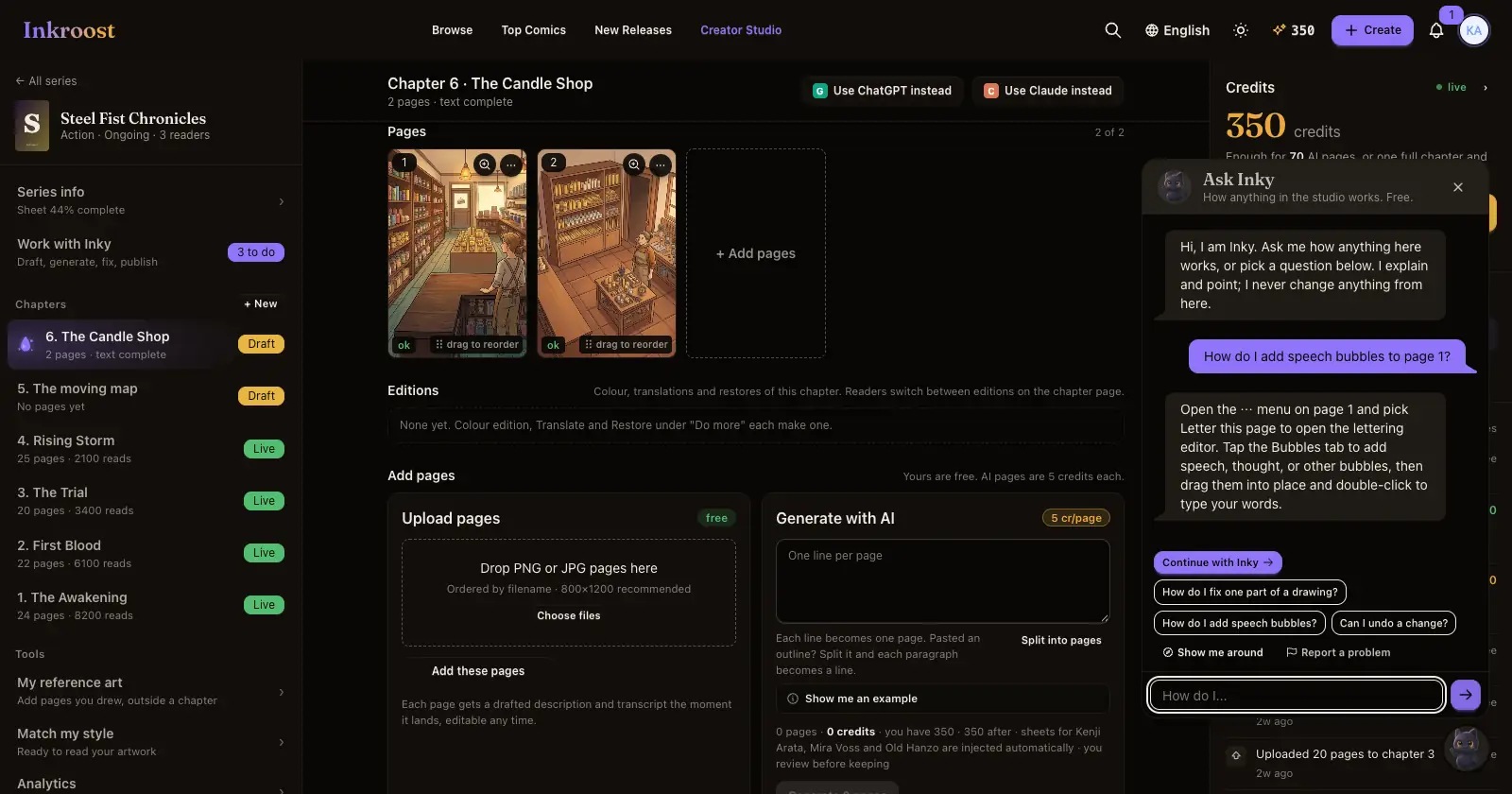
What shipped. A small Inky bubble in the bottom-right corner of the Creator Studio and your dashboard. Ask it how anything works: "How do I add speech bubbles?", "Can I undo this?", "What is left before I publish?". Inky answers about what you have open: the chapter and its pages, the sheet you are filling in, or the page in the lettering editor, Fix an area or the full-size view, where an Ask Inky button sits in the header. Asking is free.
- Getting started. Until your first chapter is live, the bubble shows six steps from describing your series to publishing, ticked off as you go. Each step has a Show me button that opens the right place, and a line on why it matters for a series that looks the same from page to page.
- A quick tour. The first time you open a series, Inky offers to show you around: series info, sheets, working with Inky, chapters, tools and credits. Press Show me around in the bubble to take the tour again any time.
- Report a problem. If something is not working, press Report a problem in the bubble. Inky drafts the report from what you told him; you check it and send it to us.
Why it matters. Most questions come up in the middle of work. The answer is now one tap away, on the page where the question came up. When you want Inky to do the work rather than explain it, press Continue with Inky and your question moves to Work with Inky.