Your pages, right inside ChatGPT
Working on your comic from ChatGPT or Claude? Each page now shows up in the chat the moment it is drawn, with a button to keep it. Your series also sit in ChatGPT's sidebar, and you can pick a look from pictures.
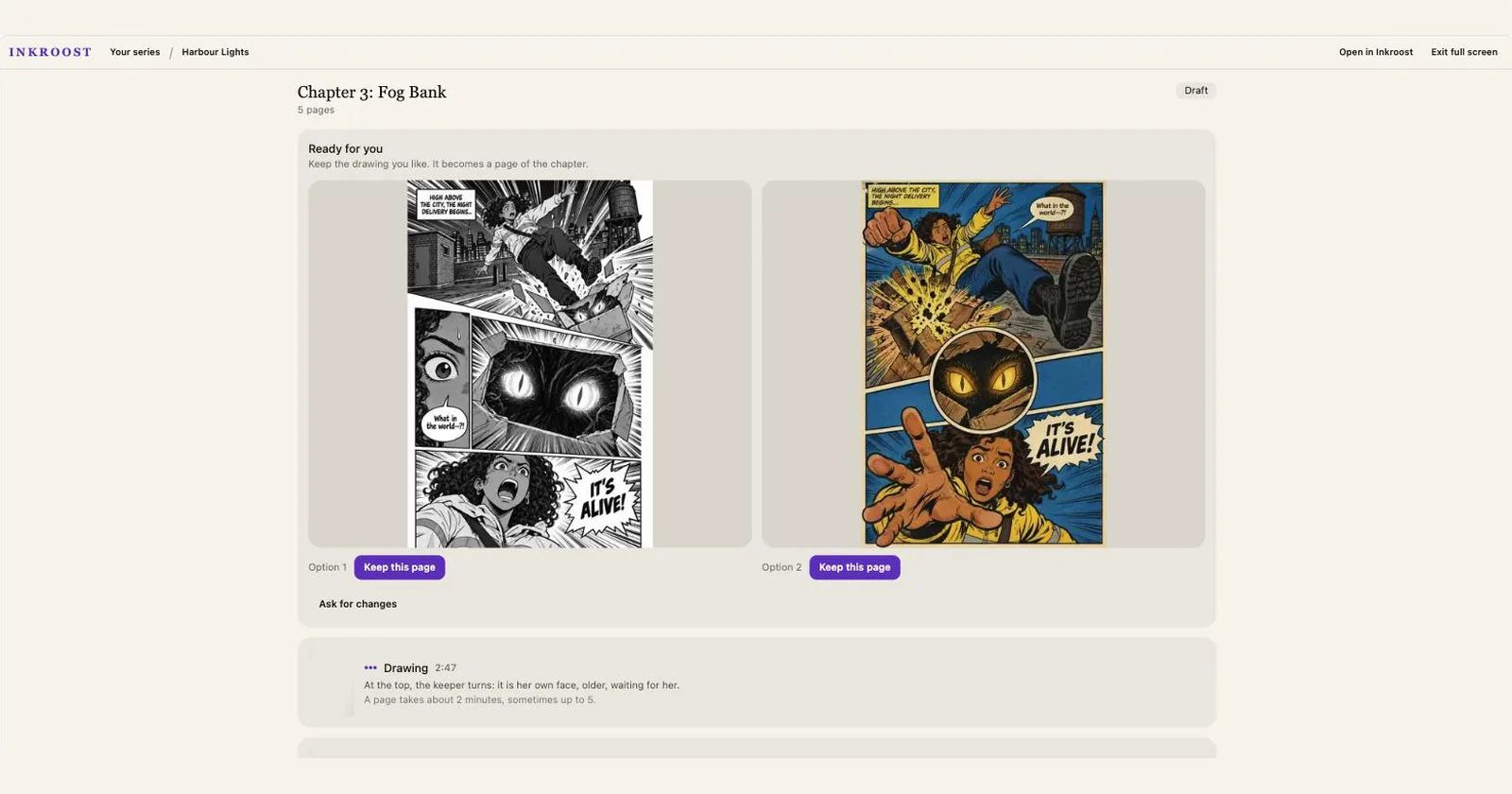
What shipped. When you make your comic with ChatGPT or Claude, Inkroost now shows up as pictures, not just text. Ask for a page and the drawing appears in the chat as soon as it is ready, with Keep this page right under it. Want to keep the whole chapter in view while you talk? Ask your assistant to open it beside the conversation. New pages arrive there on their own, and Ask for changes or Draw the next page sends your request straight to the chat.
Why it matters. A page takes about two minutes to draw, which used to be longer than a chat reply waits. Many first pages were finished and never seen. Now the page comes to you.
Also new. In ChatGPT, Inkroost has its own place in the sidebar with all your series, chapters and pages. Starting something new? The looks come as a picture of the same scene drawn in each style, so you can choose by eye. Your language and email choices are on Inkroost's settings page in ChatGPT. In the ChatGPT desktop app, type @ to bring one of your series or characters into the conversation.
How to use it. Nothing to set up. If Inkroost is already connected, just ask for a page, or say "open my Inkroost studio". New to Inkroost in ChatGPT? Add Inkroost from the ChatGPT apps directory and ask it to help you start a comic.