One sentence, one button, your first page
Starting a series with Inky is one step now. Type your idea, pick a look if you like, press Draw my first page, and page one is drawn in about two minutes. Your first cover and first banner are free.
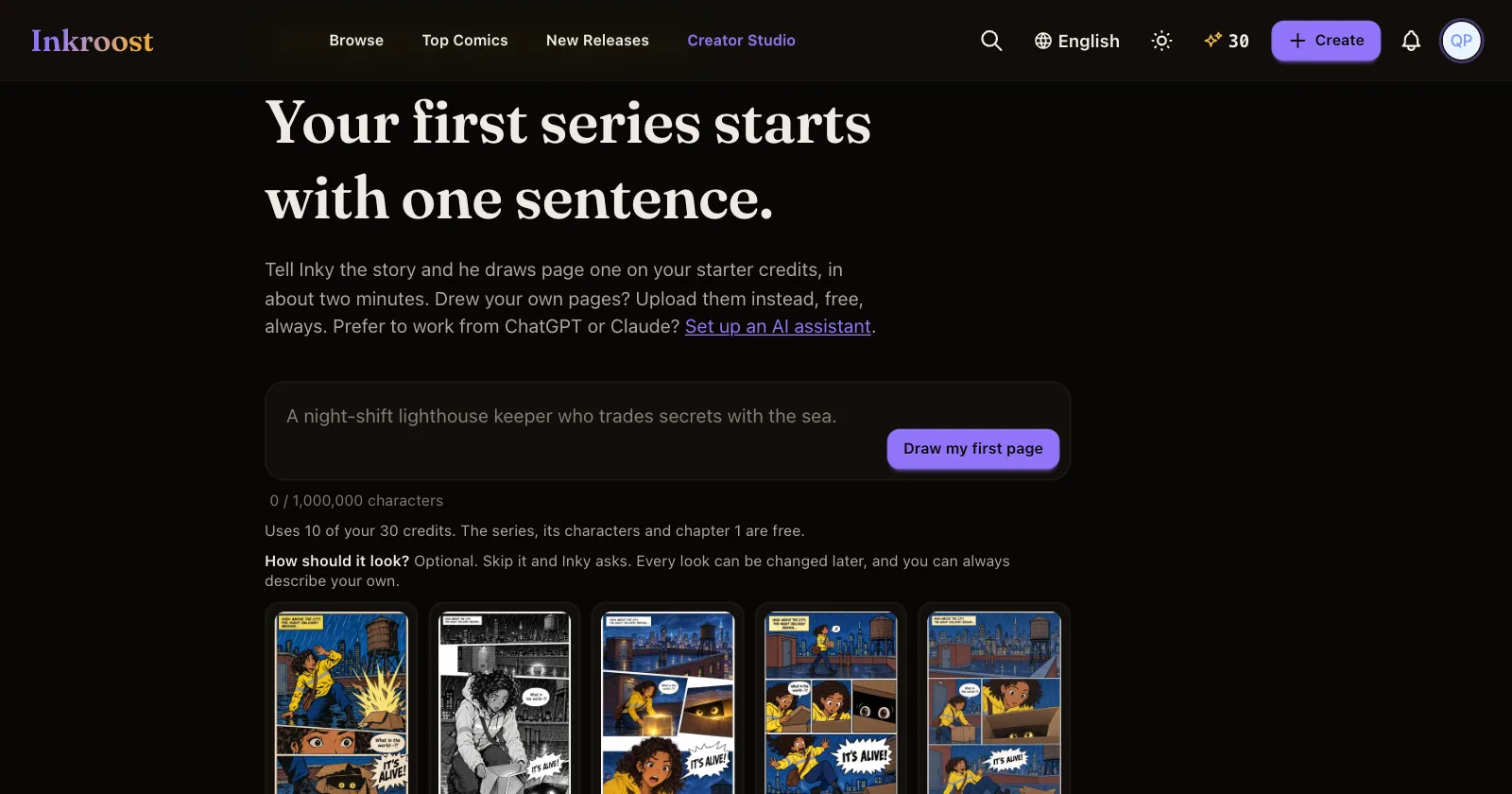
What shipped. A new series with Inky starts with a single box. Write one sentence about your story, choose a look (or let Inky choose), and press Draw my first page. Inky writes the series title and synopsis, your main characters and chapter 1, then draws page one. You see each part appear while it works. It all costs one page from your starter credits, and the line under the box shows exactly how much.
Why it matters. Before, a new series meant a conversation first: a setup to approve, a plan to confirm, and a suggestion to draw a cover and banner before any page. Many ideas stopped there. Now the first thing you see is your own story on a page, and everything else grows from it.
Also new. Your first cover and your first banner are free. After page one, press Draw the cover or Draw the banner and Inky's plan says free until you have used each once. A drawing that fails does not use it up. If you work from ChatGPT or Claude, your assistant now follows the same order: page one first, then the character sheets and the rest of the chapter.
How to use it. Open Creator Studio before you have a series, type your idea and press Draw my first page. Prefer to talk it through? Rather talk it through with Inky first opens the conversation. Drew your own pages? Upload them is right below, free as always.